
Going Global with DTCUP: A Six-App Workflow from Market Questions to Repeat Orders
A six-app operating method for international brands: learn the market, inspect the website, reconcile results, plan inventory and keep customer promises connected.

7 years of experience building and operating brand websites, specializing in website development, paid advertising and SEO. Built a brand website from launch to US$10 million in annual sales.
The Short Answer
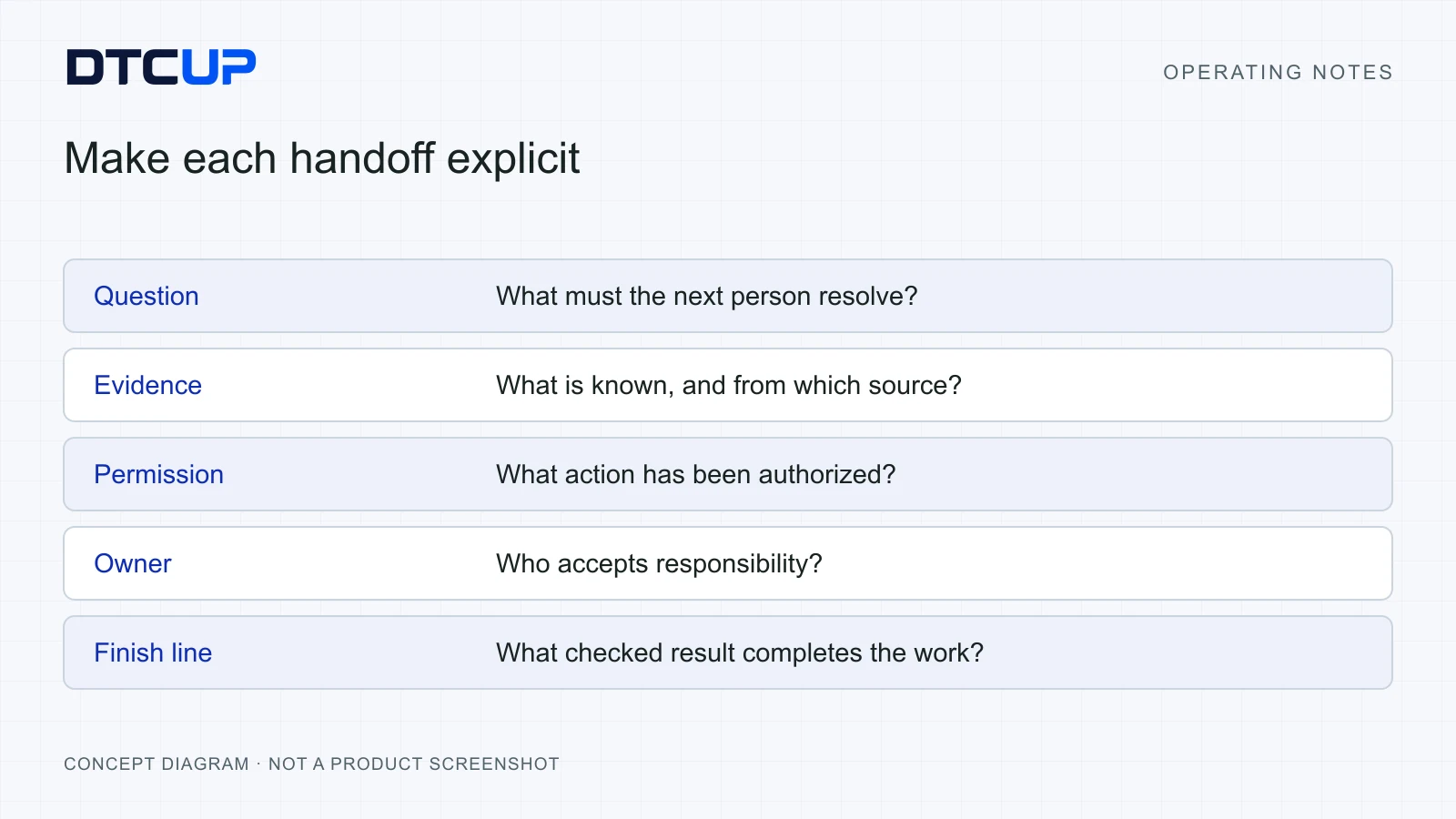
Use the DTCUP products around one business question: Meet preserves reviewed conversations, Analyzer inspects the page, Intelligence organizes commercial evidence, Demand supports stock planning, CRM owns customer work and Browser assists authorized execution. Make each handoff explicit and review the result.
Key takeaways
- Choose the first tool from the current business bottleneck.
- Keep revenue definitions, planning assumptions and customer promises clear.
- One account does not automatically authorize every source or handoff.
- Run one small learning cycle, verify it and then expand.
Going international is often presented as a traffic problem: find a new market, translate the website and buy attention. That can work right up to the moment someone asks a delivery question, the bestselling product runs short or three reports disagree about whether the launch made money. The border was crossed. The operating process stayed at home.
A growing brand needs a way to learn what customers need, explain an offer clearly, measure the right outcome, plan the stock and carry customer promises through to completion. Those jobs are connected. More traffic amplifies whatever is underneath it, including confusion. Advertising is an excellent loudspeaker and an unreliable repair person.
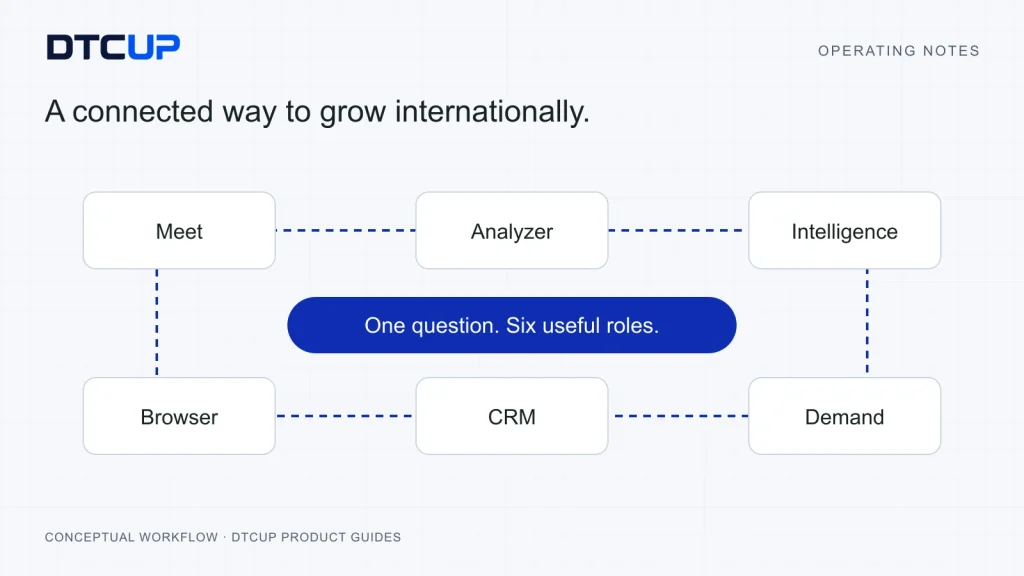
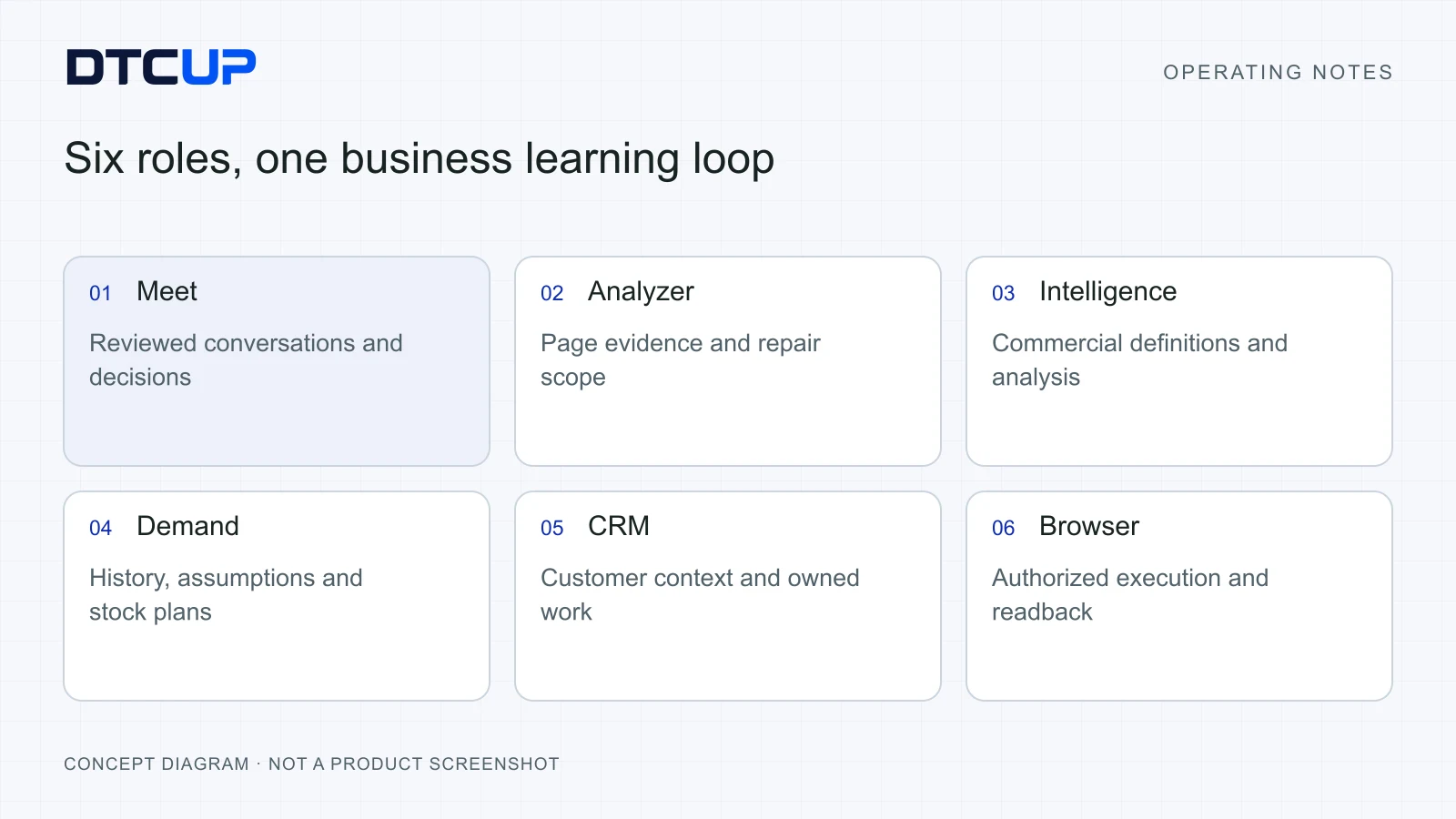
The DTCUP ecosystem brings together six useful roles: Meet for preserving international conversations, Site Analyzer for inspecting the website experience, Intelligence for organizing commercial evidence, Demand for inventory planning, CRM for customer work and Browser for authorized tasks in an existing browser. This article explains how to use them as a practical operating workflow rather than a collection of impressive tabs.
The central idea is simple: move a clearly defined question from evidence to an owned decision, then check the result. A shared DTCUP identity can make product entry easier, but it does not make every source authorized or every handoff automatic. People still choose the question, grant the necessary access and accept consequential changes. This guide uses illustrative situations and numbers, with no invented customer success story.
Define success before choosing the software
Start with the commercial job the international expansion must accomplish. A market-entry test might aim to establish whether customers understand the offer and can receive it through a workable delivery route. A scaling effort might aim to increase eligible orders while protecting contribution and availability. A distributor project may need an approved assortment and reliable follow-up. These are different jobs and need different evidence.
Write the goal in ordinary language and include its constraints. For example: “Learn whether this product range can attract suitable customers in the new market without creating delivery promises we cannot meet.” That is more useful than “Go global with AI.” The second sounds exciting on a slide and provides remarkably little help on a Tuesday afternoon.
Choose a small set of measures. You may need eligible orders, the selected sales basis, acquisition spend, product availability and unresolved customer questions. Define each measure before it enters a dashboard. A purchase recorded by the store, a purchase credited by an advertising platform and a purchase associated with an email campaign may describe overlapping activity under different rules.
Add operational acceptance conditions. Can a customer find the relevant delivery information? Does a support enquiry have an owner? Does the stock plan show a credible lead-time assumption? Can another colleague reconstruct the decision? These conditions keep the project grounded while the longer commercial result develops.
Give the first cycle a boundary: one market, a manageable product range, an appropriate observation period and a responsible owner. The boundary should be small enough to review but meaningful enough to affect a real decision. Expanding every market, every product and every channel together makes it difficult to learn why anything changed.
Then select the smallest product set needed for that cycle. You do not need to open all six applications to answer a simple question. A service issue may start in CRM and require a page check. A stock decision may begin in Demand and need a commercial assumption from Intelligence. The operating question should pull the tools into the workflow.
Give the six products six clear jobs
DTCUP Meet helps capture and review the conversations that shape the work. International calls can contain unfamiliar terms, language differences and several versions of an agreement. A transcript, translation or summary becomes useful when someone checks the consequential facts and turns the agreed next steps into owned actions. A long transcript alone is a very thorough memory with no project manager attached.
DTCUP Site Analyzer helps inspect the page a visitor actually sees. Local page checks can reveal metadata, headings, content structure, image descriptions, links and structured-data issues. Optional provider information can add a separate research view when authorized access is available. The report should help define a repair; it is not a certificate guaranteeing rankings or sales.
DTCUP Intelligence helps organize a commercial question around connected and stored data. Orders, provider facts, history, tables, charts and exports can become a decision trail when the team agrees on source scope and calculation. Missing permissions or incomplete history remain limitations, rather than being converted into reassuring zeroes. A neat chart cannot improve a definition nobody agreed on.
DTCUP Demand supports inventory planning with eligible history, explicit assumptions and reviewable forecasts. It can help a planner examine demand, supply timing and replenishment recommendations within the available data. A saved forecast is a planning record. Approving a recommendation inside the workflow does not establish that a supplier purchase order has been sent.
DTCUP CRM keeps customer and company work understandable across sales and service. Company imports, records, knowledge, follow-ups and workspace discussions can support a shared operating process. The value comes from reliable ownership and approved information. An available integration setting is not proof that an email provider, calendar or external system is already connected.
DTCUP Browser connects an authorized AI-client workflow with an existing Chrome environment through its supported setup. It can help carry out a defined task while checking the target, permissions and resulting state. It should preserve the difference between a click and a confirmed outcome. Tasks that might spend money, contact customers or change important business records still need appropriate authorization.
These jobs form a learning loop: conversation, page evidence, commercial evidence, planning, customer work and controlled execution. They are not a claim of invisible automatic data sharing among every product. For each handoff, identify what information moves, who reviews it and which receiving system becomes authoritative. One login is the front door; it is not the wiring diagram.
Learn the market through a decision-ready conversation
Market research should produce a clearer decision, not merely a folder of meeting recordings. Before a customer or distributor call, state what you need to learn. You might need to understand the buyer’s use case, the information missing from the product page or the delivery conditions that determine whether the offer is workable.
Choose questions that invite evidence. Ask what the buyer currently does, where the difficulty appears and what they need to decide next. “Would you like our excellent new solution?” tends to produce polite answers. A polite answer is pleasant company and an uncertain demand forecast.
Use DTCUP Meet within its supported browser workflow, with explicit capture and the relevant participant arrangements. Preserve a small terminology list for product names, units, locations and other important terms. Translation can help people follow the conversation, while factual review remains necessary for numbers, negations and commitments.
After the call, sort the useful material into facts, proposals, decisions and open questions. “The buyer requested delivery before a campaign” is a fact about the request. “We could use an alternative route” is a proposal. “The authorized owner approved that route” is a decision only if that approval actually happened. The categories prevent a hopeful conversation from turning into an accidental promise.
Review the small set of consequential details first. Product references, quantities, money, dates and agreed owners matter more than polishing every conversational hesitation. Link the review back to available source evidence. If a detail remains uncertain, write the uncertainty and assign the follow-up. Guessing confidently is not a language skill.
Send the approved learning into the next workflow deliberately. A repeated product question may become a website brief. A distributor’s agreed next step may become CRM work. A proposed campaign may become an explicitly labeled planning assumption. The Meet operating guide explains the review method in more depth.
Keep one important discipline: do not interpret every positive conversation as market validation. People can like an idea without accepting the price, delivery conditions or actual commitment. Use the conversation to sharpen the next test and identify the decision conditions. That is a stronger foundation than collecting encouraging adjectives.
Turn market learning into a website customers can use
Choose the pages that support the intended journey. A regional visitor may arrive on a product page, seek a delivery explanation, compare an option and then decide whether to enquire or buy. Inspect that route as a customer task. The homepage can be beautiful while the actual campaign destination leaves the visitor wondering which country the promise applies to.
Use DTCUP Site Analyzer to inspect the relevant page and record the conditions that matter. Does the title describe the actual offer? Does the main heading match the page’s purpose? Can a visitor find the answer raised in market conversations? Do the important links lead to the intended regional information?
Write metadata from the page’s real content and search intent. A unique title and description should help a person recognize the right page, not merely exchange one product name inside a generic sentence. Informative image alt text should describe the actual image and useful context. Decorative imagery does not need a forced keyword audition.
Keep search checks proportional. Content structure and structured data can help make a page understandable, but no local report guarantees visibility. Optional provider metrics need suitable authorized access and should remain distinct from facts observed on the page. Missing provider information is unavailable evidence, not proof that the market has no demand.
Prioritize a few meaningful repairs. A wrong market link, an unsupported product claim or a blocked next step deserves attention before a decorative refinement. Record the affected audience, evidence, owner and closure condition. “Make the site better” will keep a team busy for years without giving it a reliable way to finish anything.
Check the repair after release. Follow the actual link, inspect the rendered content and verify the result on a phone as well as a desktop. If the change affects a shared template, sample other relevant pages. Preserve URLs unless an authorized change requires a new one; where a URL changes, map and verify the appropriate redirect.
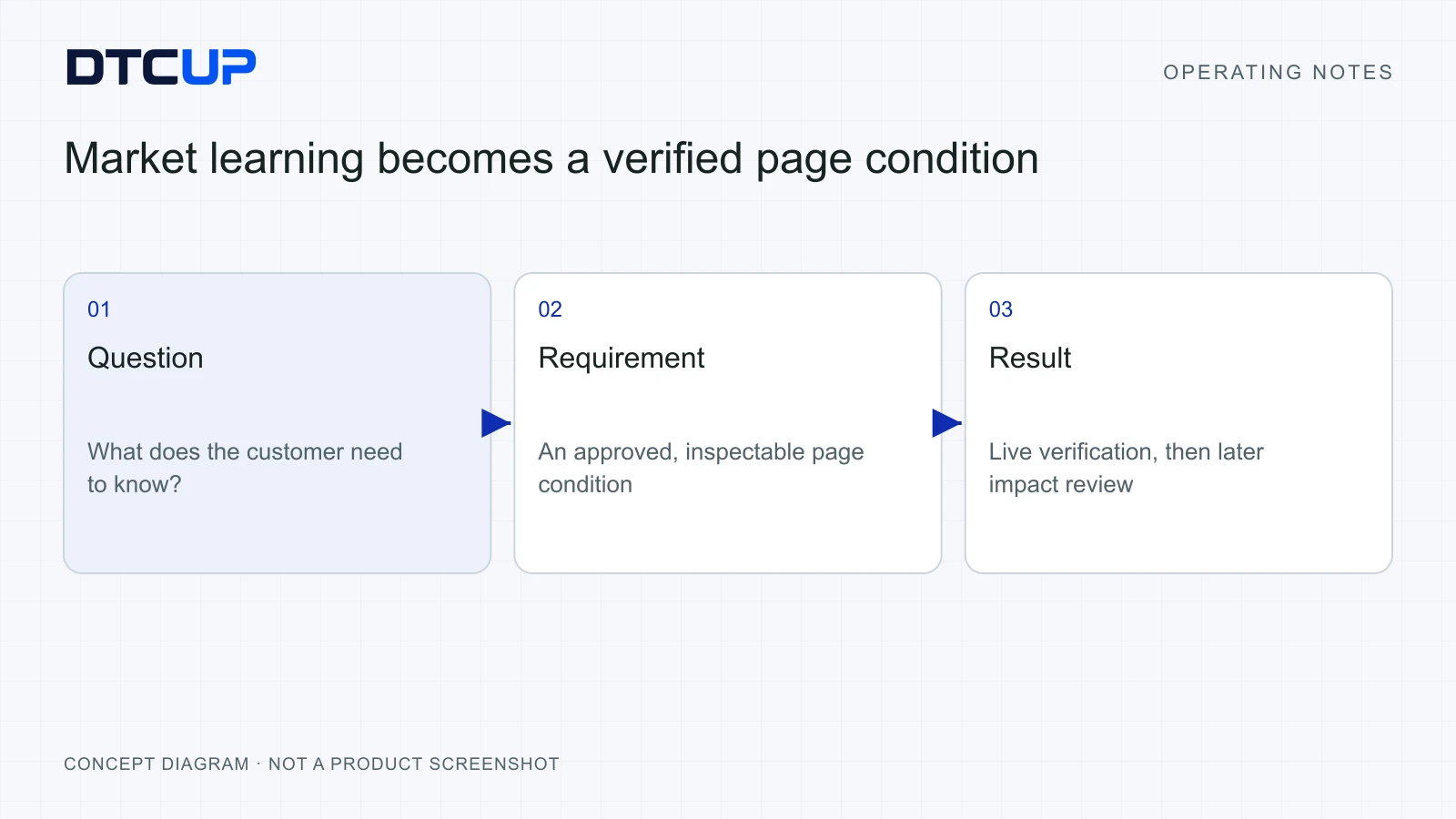
Then connect the page repair back to the business question. If the problem was delivery uncertainty, review whether the explanation is now correct and whether relevant customer confusion changes over time. The technical repair can be complete before there is enough evidence to judge its commercial effect. The Analyzer guide explains this distinction and the prioritization workflow.
Build one commercial truth before debating channel credit
International reporting gets confusing quickly because accounts, markets, time zones, currencies and attribution rules can differ. Begin with the base commercial population. Which orders qualify? Which dates apply? How are refunds treated? What currency and value basis will the team use? This is the foundation on which the channel analysis must stand.
In DTCUP Intelligence, check the relevant source connection and available history before interpreting a chart. A source can be connected without covering the entire comparison period. Orders can exist while historic browsing touchpoints remain incomplete. These are different types of evidence, so importing one does not reconstruct the other by magic.
Suppose an illustrative launch has $20,000 of eligible order value and $2,000 of refunds under the selected basis. Its after-refund value is $18,000. If eligible acquisition spend is $6,000 in the same currency and period, the revenue-to-spend ratio is three. That is not profit because product cost, freight, fees and other expenses are missing from the calculation.
Now suppose advertising reports $14,000 in attributed value and email reports $8,000. Adding those claims would produce $22,000, but the store did not necessarily receive another $4,000. The providers may credit overlapping orders under different rules. Keep the provider views labeled and reconcile the commercial base before asking which channel deserves credit.
Choose attribution for the decision. Attribution is a rule for allocating credit among observed touches, like deciding how to recognize the people involved in a team effort. A final-touch view can help examine closing behavior. A broader observed-journey view can help inspect how channels appear together. Neither rule alone proves what would have happened without the channel.
Use the available tables, filtered totals, charts and exports to inspect a specific question. Recent history and backfill improvements make stored provider facts more useful where the connection and coverage exist. Keep maintenance controls explicit: a manual historical retrieval, an optional update schedule and a report view are separate operations. Do not assume a source is updating because a historical chart loads successfully.
End the analysis with an observation, a possible explanation, a bounded action and a review point. “Delivery-related questions are increasing on this product while the page hides the explanation” supports a more useful next check than “The channel is bad.” The Intelligence decision guide shows how to build a trail another colleague can defend.
Let Demand connect growth plans with stock reality
A campaign plan becomes awkward when it assumes that the warehouse can produce inventory through enthusiasm. Before scaling a product, review the eligible sales history, current inventory evidence and the supply assumptions. A convincing demand forecast should make those inputs visible, especially where the business is entering a market with limited local history.
DTCUP Demand supports a planning workflow around demand history, transparent baselines, explicit assumptions and replenishment review. A baseline is a reasonable starting estimate built from the available evidence. It is not a prophecy. The useful question is how the estimate behaves when the evidence or assumptions change.
Check history eligibility and product identity first. Missing or duplicated SKU references can distort a plan before any forecasting method is applied. Review whether the source covers the intended period and whether inventory is current enough for the decision. Aggregate stock evidence should not be presented as complete warehouse-by-warehouse availability when that detail is unavailable.
Add supply assumptions deliberately. Lead time describes how long replenishment takes. Safety stock is a buffer against uncertainty. A pack multiple means orders must fit a particular bundle size. These ordinary constraints can matter more to the final recommendation than a sophisticated-looking forecast curve.
Time incoming supply correctly. Stock expected after the immediate shortage does not solve today’s availability problem. Confirm incoming quantities and expected arrival assumptions through the approved source or planning input. A shipment that exists in a hopeful email is not automatically eligible available inventory.
Separate scenarios from observations. A planned campaign lift can be a user-entered assumption for a what-if analysis, clearly labeled as such. It should not quietly rewrite historic demand or real stock. Compare the baseline with the scenario, review the range and acknowledge low confidence where the available history is thin.
Save a forecast explicitly when it represents a reviewed planning decision. A saved forecast creates a stable reference for later comparison; changing a filter should not be confused with accepting a new plan. Review recommended quantities through the supported approval process and record the reason for any adjustment.
Keep the supplier handoff separate. An approved replenishment recommendation is an internal planning state, not proof of an external purchase order, payment or delivery booking. Assign the person responsible for the actual procurement process and confirm its outcome through that process. Software can make the decision clearer without quietly becoming an unauthorized buyer.
Keep customer promises visible across teams
International customers should not have to explain their situation again every time a different colleague appears. Use DTCUP CRM to keep the customer and company context, the active work and the next owner understandable. A shared record is particularly useful when the person who heard the original request is asleep during the next customer’s working day.
Keep record types distinct. The company is the organization, a person is an individual, an opportunity is possible business and a service case is work that needs resolution. A good relationship connects those records without pretending they are interchangeable. A distributor’s expansion opportunity can remain open while a delivery issue receives separate attention.
Use reviewed company imports to improve the starting data. Map the columns, inspect the row preview and choose the intended update behavior. Existing company matches are skipped by default in the reviewed workflow; explicit nonempty updates require a deliberate choice. Check the result before repeating an uncertain submission. A spreadsheet is a useful delivery vehicle, but it should not be allowed to reverse into the customer database unsupervised.
Capture the promise precisely. What did the customer request, what has actually been approved and what still needs confirmation? Separate an internal investigation target from a guaranteed delivery date. A colleague should not discover that a polite “we will check” became an official commercial commitment somewhere between the meeting notes and the customer reply.
Use approved knowledge to keep answers consistent. Check the entry’s owner, current factual basis and public-use permission. AI-ready knowledge can support a configured draft workflow, but the label does not prove automatic AI replies are enabled. Review exceptions and consequential claims instead of assuming a well-written answer must be a correct answer.
Coordinate in workspace discussion groups when a question spans teams. Remember that the reviewed groups are visible within the workspace, rather than private rooms. Once a decision is made, return the outcome to the relevant customer record, knowledge entry or follow-up. Discussion is where a decision develops; the authoritative record is where the next colleague should be able to find it.
Close the loop with an owned next action. The action should say what must happen and when it needs review. A reply draft is not delivered mail, and a resolved internal discussion is not automatically a resolved customer problem. The CRM workflow guide explains the practical steps in more detail.
Use Browser for bounded work with a visible result
Once the team has a clear finding, somebody needs to do the work. That might involve preparing a page update, reviewing an existing account view or recording an approved change. DTCUP Browser is useful when the task belongs in the user’s existing Chrome environment and supported AI-client setup. Begin with a precise target and a definition of success.
A useful task brief identifies the site, account, page and authorized action. “Inspect the regional product page and report the delivery link” is different from “Change the delivery terms.” The first is read-only evidence gathering. The second requires an approved content decision and verification of the saved result. A browser already being open does not erase that distinction.
Use a read, act and check sequence. Read the relevant state, perform the permitted action and inspect the resulting state. For a saved page change, check the actual saved content and its customer-facing output. A button’s click animation is not sufficient evidence that the business operation completed.
Handle uncertainty carefully. If the connection pauses after a submission, inspect the destination or recorded outcome before trying again. Unknown write status is a reason to verify, especially where duplicate records, messages or paid changes could result. Repeating a click because the first one felt lonely is not a recovery plan.
Preserve account and workspace boundaries. Ordinary navigation or a same-page filter may be part of the task, while an account switch or manual takeover can require a fresh check. Give the assistant only the information and permissions needed for the current objective. Content supplied to an AI conversation may be processed by the configured provider; local browser connection does not mean every later processing step stays on the device.
Finish with readable evidence. Record the intended outcome, the actual result, the checked scope and any unresolved issue. The Browser task guide gives examples for deciding what to verify and how to recover without repeating uncertain writes.
A worked example of a regional launch review
Imagine a home-goods brand testing a product range in a new market. It has a functioning website, a modest campaign and a small operations team. After the first observation period, order volume is below its internal plan and support questions are increasing. The team needs to choose the next action without assuming that every problem can be solved by buying more clicks.
The commercial owner begins in Intelligence with a defined question: which constraint is most likely to be limiting the current launch, under the available evidence? They confirm the order population, refund basis, spend scope, currency and comparison dates. They check source coverage rather than treating incomplete provider history as poor campaign performance.
The review localizes the concern to a product with repeated delivery questions. The pattern is a useful lead, not proof of cause. The owner asks CRM for a reviewed summary of relevant customer issues, with appropriate access. Agents identify a recurring uncertainty about when the item would arrive and whether the page’s delivery language applies to the customer’s region.
The team inspects the page with Site Analyzer. The delivery link points to a general explanation, while the product page uses a phrase that visitors can interpret as an arrival promise. The page also makes the regional qualification difficult to find. These observations provide a specific, reviewable repair rather than a broad instruction to redesign the website.
Operations checks Demand before approving revised wording. The stock and incoming assumptions show that the team cannot confidently promise immediate availability for every unit in the range. They review the source freshness and incoming timing, then agree which factual explanation can be published. An attractive page must not sell a supply arrangement that does not exist.
A short meeting resolves the remaining wording and ownership. With the appropriate capture arrangement, Meet helps preserve the discussion. A person checks the product references and dates, then records the actual decision: publish the approved availability explanation on the defined pages and review the relevant customer questions after an appropriate period.
An authorized Browser task prepares or performs the bounded update under the approved scope. The operator checks the page, saves the change and reads the result back. They inspect the customer route on desktop and phone, including the delivery destination. CRM’s reusable knowledge is updated through its own reviewed process, so support and the website tell the same approved story.
The next review checks several things separately. Is the explanation technically correct? Are relevant customer questions becoming clearer or less repetitive? Has eligible order behavior changed under comparable conditions? Were there stock, promotion or campaign changes that complicate interpretation? The result can support the hypothesis, contradict it or remain inconclusive.
This workflow does not claim that six products automatically increased sales. It shows how a team can move from a broad concern to a defensible action without inventing certainty. Even an inconclusive outcome is useful when the team records what it learned and which question needs the next test.
Build a scorecard that explains the next decision
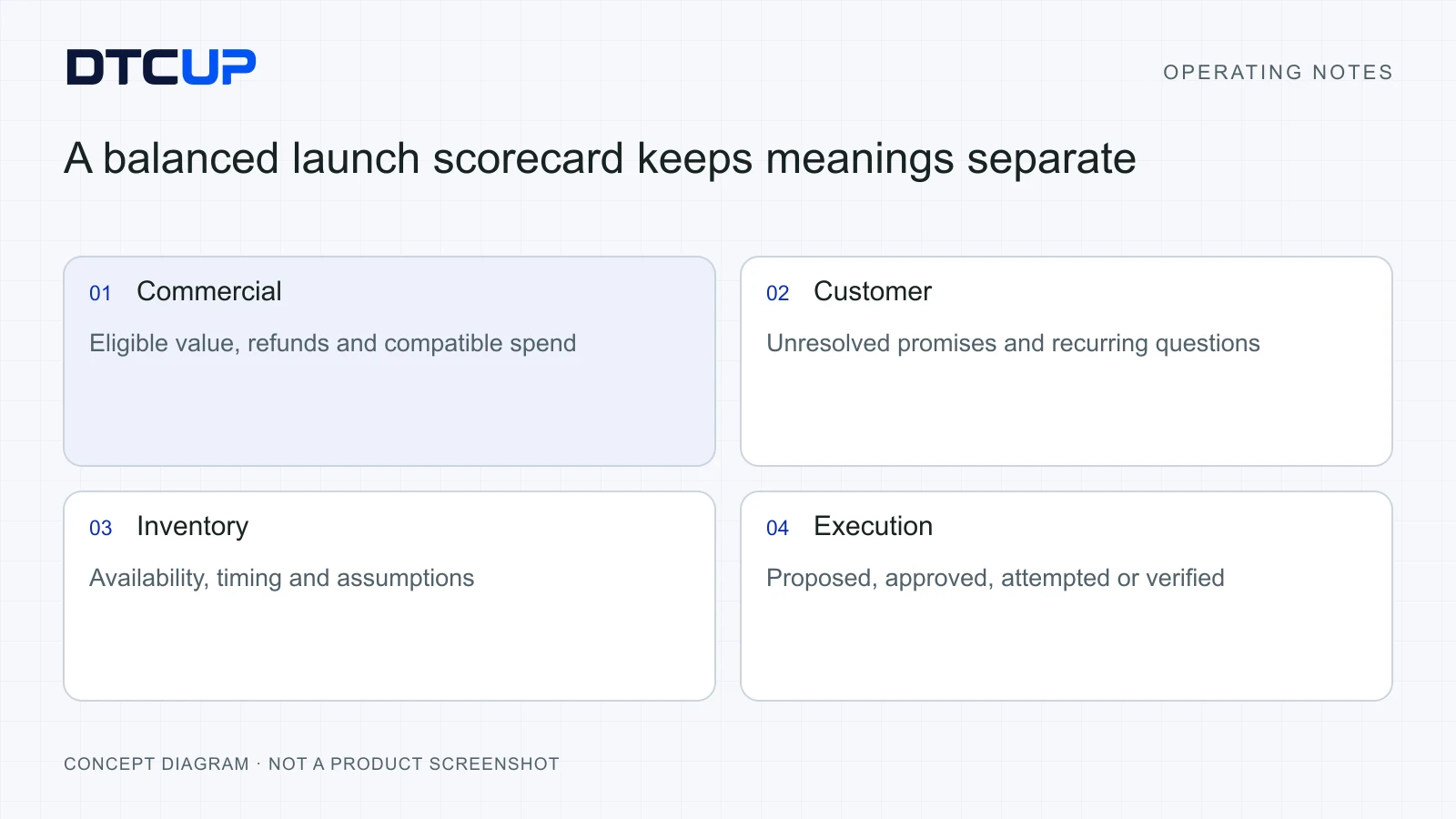
A useful international scorecard combines commercial and operating evidence without mixing their meanings. Keep a small set of measures that describe the goal and its constraints. Each measure needs a definition, source, period, owner and intended use. If the team cannot explain a metric without opening three tabs, simplify the first review.
For commercial performance, establish eligible order count and the chosen revenue basis. Keep refunds, currency and acquisition spend consistent. Where cost data is incomplete, avoid calling a revenue ratio profit. Where attribution evidence is incomplete, do not present a complete customer journey. Accurate labels make the report more useful than artificial precision.
For customer work, examine unresolved commitments, recurring issues and ownership. Do not treat a lower case count as automatically positive: customers may have found the answer, stopped asking or failed to reach the team. Inspect representative work and the customer route to understand the change.
For inventory, inspect the assumptions and timing behind the plan. Availability, lead time and confidence matter alongside the recommended quantity. Compare later outcomes with the saved planning reference where supported. A forecast can be thoughtfully prepared and still differ from reality; the useful review asks which assumptions changed and how the next decision should improve.
For execution, distinguish proposed, approved, attempted and verified work. A meeting can approve an idea while the page remains unchanged. A browser task can attempt a save while the final state is unknown. A completed technical repair can still need a later commercial review. Keeping these states separate stops the scorecard from becoming a festival of premature green ticks.
Close the scorecard with a small decision log. Record the finding, the explanation under consideration, the action, the owner and the next check. If no action is justified, say which evidence is missing. The best weekly review often produces fewer tasks than a frantic one, because it filters out activity that would not address the actual constraint.
Roll out the system in a sequence the team can absorb
Start with a short discovery pass. Identify the first business question, current source systems, responsible people and permission gaps. Confirm what the products currently support in the intended workspace. A roadmap item, a connection adapter and a live authorized integration are different states. Planning around the wrong one creates an avoidable surprise later.
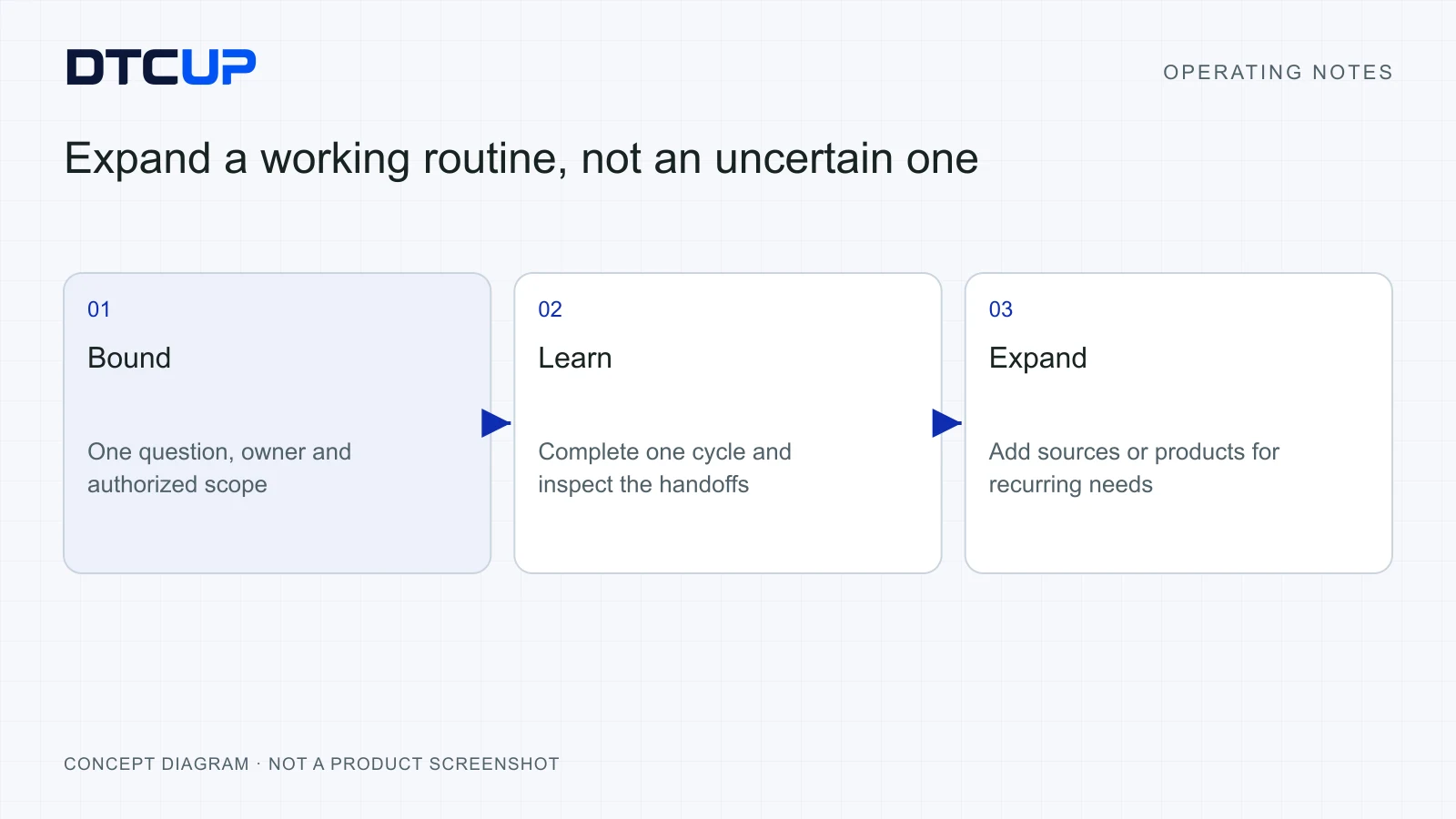
Run one complete learning cycle before widening the scope. For example, review one product’s market question, inspect its page, reconcile the relevant commercial data and complete a bounded repair. Use only the products needed. Keep a written account of what happened, including the parts that still required a manual handoff.
Use a small shared vocabulary. The team should agree on words such as eligible order, approved response, saved forecast and verified change. These definitions can fit in a short operating note. You do not need a grand transformation dictionary; you need colleagues who mean the same thing when they say the task is complete.
Introduce permissions alongside the workflow. Grant access for the job and confirm the intended account before use. Separate product entry, workspace membership, provider authorization and external-action approval. These boundaries may feel obvious during setup, but they become valuable when somebody moves quickly across several markets and accounts.
Train through representative work. Let a colleague trace an actual permitted question from source to decision and explain where uncertainty remains. Ask them to recover from a harmless incomplete state, such as missing data or an unclear task brief. A team that can explain a limitation is better prepared than one that has only seen a flawless demonstration.
Expand according to recurring demand. Add another source when it answers a recurring analysis question. Add a group when coordination needs one. Add a planning scenario when the commercial decision depends on it. This keeps the system connected to business needs instead of creating a collection of modules that nobody remembers why they enabled.
Review the operating process after a few cycles. Where are handoffs slow? Which definitions cause disagreement? Which facts repeatedly need correction? Improve those points before increasing automation. Automating an unclear process can make it run faster while remaining unclear, which is progress only if your business sells confusion by the kilogram.
Recognize when a tool is not the missing piece
Some problems need a business decision before they need software. A website cannot clarify a delivery promise that operations has not approved. A reporting product cannot choose the company’s acceptable margin. A CRM cannot decide which colleague is accountable if management refuses to assign one. Use the tools to expose the unresolved decision and give it an owner.
Other problems need better evidence. Thin history, incomplete source access or an unrepresentative customer sample can limit the conclusion. Keep the limitation visible and choose a smaller test. The right response to uncertainty is often a better question, not a larger model or a more colorful chart.
Some work needs a specialist or a separate authorized system. Product compliance, tax treatment, freight commitments and contractual obligations may require professional review or authoritative records beyond these applications. An operating workflow can help organize the evidence and actions, but it should not pretend to replace the relevant expertise.
Finally, some teams simply need fewer simultaneous priorities. Choose the constraint that matters now and complete one cycle. Software helps when it makes the next decision easier, preserves the customer’s context and confirms the result. It becomes noise when opening the tools is mistaken for moving the business forward.
Choose the first tool from the bottleneck
If the team keeps debating what was agreed, begin with the conversation and its reviewed action record. If customers cannot find the answer they need, inspect the relevant page. If reports disagree, reconcile the commercial definitions. If demand looks promising but availability is uncertain, review the stock plan before expanding acquisition. If work loses ownership, start with the customer handoff.
This order matters because each problem can disguise itself as another one. Weak sales can look like a traffic shortage when the real constraint is an unclear offer. Repeated customer questions can look like an agent-capacity problem when the answer is missing from the website. An apparent inventory shortage can come from stale or ineligible data. Locate the constraint before choosing the tool.
Write one sentence describing the evidence that would change your mind. For example: “If the approved delivery explanation is visible and customers still ask the same question, we will inspect whether the promise itself is unclear.” This keeps the team learning rather than defending its first diagnosis. The purpose of the workflow is a better next decision, even when that decision politely disagrees with the previous one.
Finally, make the next step small enough to finish. Assign a person, define the authorized scope and specify the checked result. A repeatable operating habit grows from completed cycles. Six open tabs can support that habit, but the tabs are optional; clear thinking and ownership are the parts you cannot outsource.
Questions about the DTCUP international workflow
Must a company use all six products together?
No. Begin with the business question and use the smallest useful set. A meeting follow-up may need Meet and CRM. A product-page repair may need Analyzer and an authorized execution workflow. Inventory planning may begin in Demand. Expand when a recurring question or handoff justifies the additional product.
Does one DTCUP account automatically connect every data source?
A shared identity helps with account entry, while workspaces, product permissions and provider access remain separate checks. Confirm each connection’s account, scope, history and current status. Do not assume that logging into one product grants another product access to customer records, advertising data or external actions.
Can these products guarantee a successful international launch?
They can support clearer evidence, planning, customer work and controlled execution. Market fit, offer quality, supply, competition and the team’s decisions still affect the result. Use the workflow to test assumptions and learn responsibly, rather than treating software adoption as proof that the commercial outcome is assured.
What is the most useful first project?
Choose one meaningful customer or commercial question with a clear owner. Establish its evidence and constraints, complete a bounded action and review the result. A small repeatable cycle provides a stronger foundation than enabling every integration and hoping a strategy appears in the dashboard.
Still have a question?Ask the DTCUP Community ↗