
DTCUP Site Analyzer: Find the Website Problems Worth Fixing First
Turn a page inspection into a sensible repair list, with practical checks for customer journeys, search information and the difference between local and provider evidence.

7 years of experience building and operating brand websites, specializing in website development, paid advertising and SEO. Built a brand website from launch to US$10 million in annual sales.
The Short Answer
Begin with the page and customer task that matter. Use DTCUP Site Analyzer to inspect actual page evidence, keep optional provider metrics separate, and prioritize blocked journeys or inaccurate promises. Give each repair a clear closure condition and check the live page after the change.
Key takeaways
- Inspect the actual customer route, market and page state.
- Write metadata and image alt from real page content.
- Local page evidence and optional provider metrics answer different questions.
- Verify the repaired condition before judging later commercial impact.
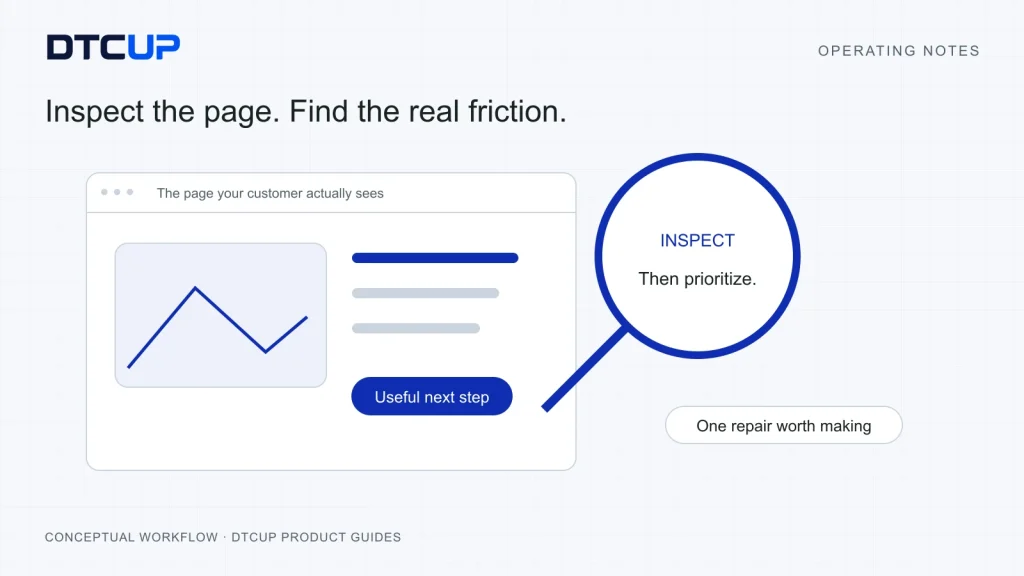
You run a website check and receive a long list of warnings. Some are serious, some are harmless in context and several look as though they were invented to make the report longer. The team now has a spreadsheet full of red cells and a familiar question: what should we actually fix first?
DTCUP Site Analyzer is a Chrome extension for inspecting the page you are viewing. It brings page SEO, content, links, images and structured-data evidence into a quick view and a fuller report. It also supports comparison and export workflows, with optional provider data when you have suitable authorized API access.
The useful outcome is a better decision about the page. A missing description, a confusing heading and a broken purchase-related link have different consequences. Treating every warning as equally urgent can keep a team impressively busy while the real customer problem remains untouched.
I would use the analyzer as the beginning of a practical review: identify the page’s job, inspect the evidence, trace the likely customer or discovery problem, then choose a repair that can be verified. This guide walks through that method. You will learn how to interpret common checks without turning keyword density into a religion, how to avoid confusing an inspection with a search-engine guarantee, and how to turn a report into an owned improvement plan.
Decide what the page needs to do before scoring it
A product page, an instructional article and an account sign-in screen serve different purposes. A useful inspection starts with that purpose. Who should arrive here? What question are they trying to answer? What action or understanding should the page support? Without those answers, it is easy to optimize an element that has little bearing on the page’s real job.
For a product page, the reader may need to understand suitability, key specifications, delivery expectations and the next purchase step. For a guide, they may need a clear answer and a method they can follow. A sign-in page may intentionally remain outside search results. The same technical signal can be appropriate in one context and a problem in another.
Write a one-sentence page brief before opening the report. For example: “This page should help first-time buyers decide whether this product fits their use case, then find the correct purchase option.” That brief gives every finding a practical frame. If a missing section prevents the buyer from making that decision, it matters even if the page has a handsome technical score.
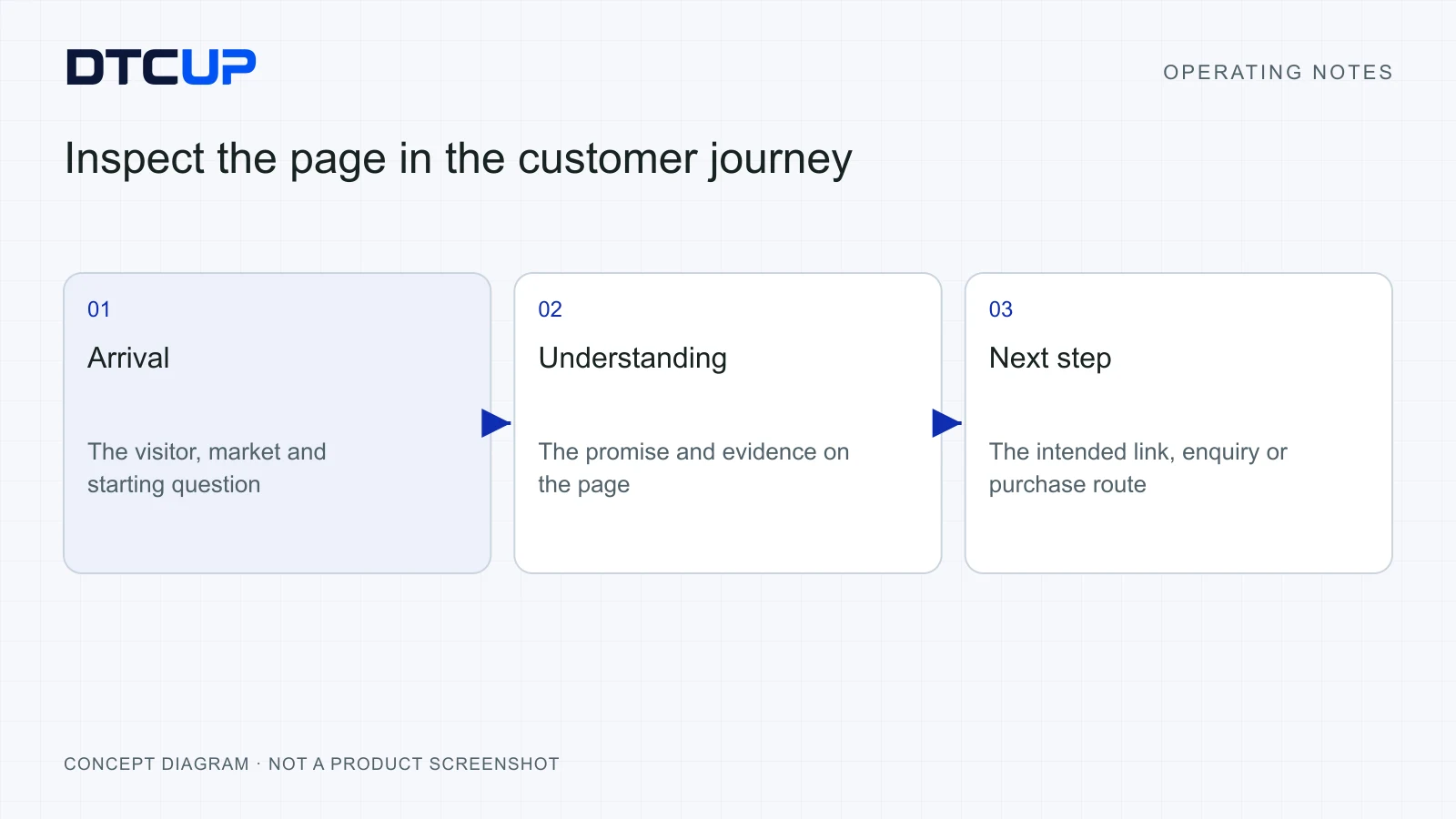
Identify the page’s place in the journey. Is it an entry point from search, a comparison page, a campaign destination or a support resource? An entry page needs to establish context quickly. A support resource needs precise answers and a sensible route to further help. A campaign page should match the promise that brought the visitor there.
Keep the audience’s language in mind. A product team may describe an item using internal terminology that customers never use. The inspection can show which words are on the page, but people still need to decide whether those words make sense to the intended audience. A page can be technically readable and conversationally baffling at the same time.
Choose the correct version of the page. Language, market, device state and login status can change what appears. Record enough context to make the inspection reproducible. If you compare a logged-in desktop view with an anonymous mobile view, some differences may come from the viewing state rather than a content repair.
Finally, decide whether the page should be indexable. Indexable means it is intended to be eligible for search-engine discovery. That decision belongs to the page’s purpose and the website architecture. The analyzer can expose relevant signals, but it should not persuade you to put every private or transactional page into search simply because a report can detect a noindex instruction.
Use Quick View to find the right question
Open the extension on the page you want to inspect. Quick View organizes the initial evidence into page information, content, audit, schema and the selected provider view. The fuller report gives you more room to examine tables and details. Start with the compact view to identify a question, then use the report to investigate it.
Check the page identity first. Confirm the visible address, title and description, then note the canonical and relevant robots information. A canonical is a preferred address for a piece of content; it helps search engines understand which version you consider primary. Robots instructions describe certain crawling or indexing preferences. They have different jobs and should be read separately.
Look for clear contradictions. A public guide might show a title for an unrelated topic. A page might identify a different canonical destination than intended. A migration could leave an indexing restriction on a page that should now be public. These findings deserve investigation because they can affect how the page is understood or discovered.
Do not change a signal merely because it looks unusual. A canonical pointing elsewhere may be intentional for a duplicate version. A noindex instruction may protect a useful account page from search. Check the website’s intended architecture and the actual destination before treating the signal as an error.
Use the report’s state labels carefully. A warning identifies something to review. An unavailable result means the tool did not establish that piece of evidence. A passed check applies to the particular condition examined. None of those states proves that the page is excellent in every other respect.
Record the finding in plain language. “The article identifies the old campaign page as its preferred canonical address” tells a colleague what to investigate. “Canonical issue” provides a category but little direction. Include the current value, the expected value and the source of that expectation.
Limit the initial review to a few questions. Does this page identify itself correctly? Can the visitor understand its promise? Are important links and content elements present? This keeps the first pass focused. You can examine finer details after resolving a mismatch that affects the page’s basic purpose.
If several pages show the same pattern, investigate the template rather than editing each page independently. A shared description template, a repeated wrong heading or an outdated navigation element may have one source. The analyzer helps you collect examples; the repair should target the real cause and preserve exceptions that are intentional.
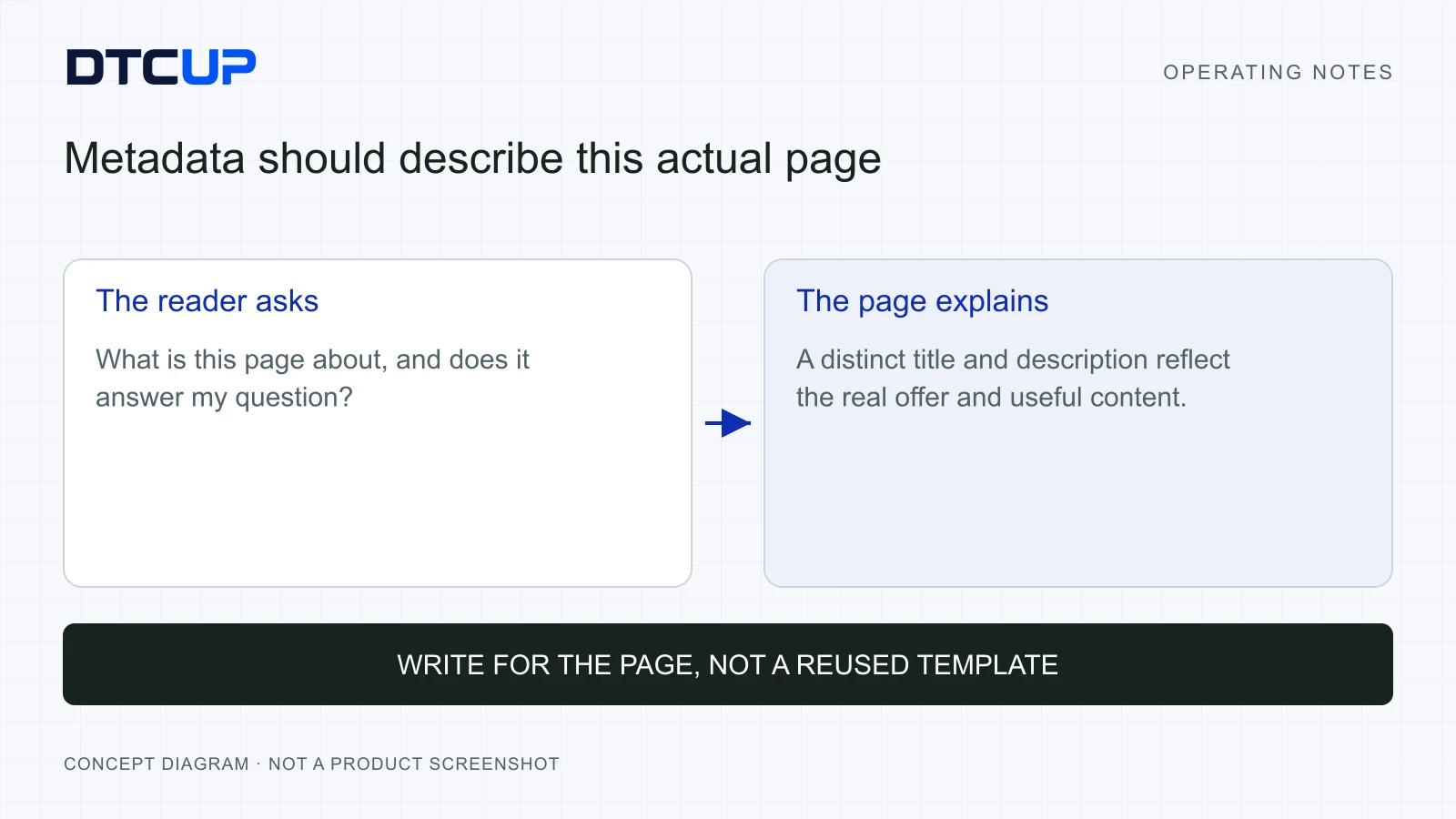
Read titles and descriptions like a customer
The title and description help explain what a page offers. Their job is to match the page’s actual content and the reader’s reason for arriving. A title that promises a complete buying guide should lead to a useful buying guide, not a short product announcement wearing an ambitious hat.
Start by writing the reader’s question in everyday language. A customer may want to know whether a product fits a small outdoor area, how a software connection handles permissions or which planning method suits limited history. Use the page’s main answer to shape the title. Search terms belong naturally in that explanation, rather than being attached like luggage labels.
Give each page its own meaning. A site full of titles that swap one product name into the same sentence can look technically unique while saying almost the same thing. The description should explain the specific value, scope or method on this page. A repeated ending about “unlocking growth” rarely helps a customer decide which result to open.
Use Analyzer to inspect what is actually present, then compare it with the intended wording. Content management systems, SEO plugins and page templates can each influence the final output. A field saved in an editor does not guarantee that the rendered page displays it. Check the actual page after the change.
Keep promises proportionate. Avoid claiming guaranteed rankings, instant results or complete compatibility without evidence. A clear description of what the reader can learn is stronger than a large promise that the article cannot support. This is particularly important for international audiences who may already be deciding whether to trust an unfamiliar brand.
Length is a practical consideration, but a character count is not a substitute for clarity. Important meaning should arrive early. Remove unnecessary wording and make the topic recognizable. Do not damage a clear title solely to hit a preferred count, and do not assume that every search result will display your text exactly as entered.
Review related pages together. A category page, product page and buying guide may cover the same subject from different angles. Make those roles clear so the pages complement one another. The website’s internal links should help the reader move between them, rather than leaving several similar pages competing to explain the same vague promise.
Use content checks to improve understanding
The content report can help you examine headings, words and their distribution. Treat those observations as clues about how the page communicates. A heading outline is useful because it shows whether the explanation has a sensible structure. A word-frequency table is useful because it shows what the text emphasizes. Neither is a magic ranking recipe.
Read the headings as a standalone outline. Can someone understand the article’s route without reading the paragraphs? A practical guide might move from the problem to diagnosis, then steps, examples and verification. A page with several headings saying essentially “Why it matters” may be repeating an introduction while delaying the useful answer.
Check the semantic structure as well as the visual appearance. H1, H2 and H3 are structural labels for the main title, sections and subsections. Their job is to describe the hierarchy of the content. Choosing a heading solely because its default font looks attractive can leave the underlying structure confusing.
Use keyword density cautiously. Density is the proportion of text occupied by a word or phrase under a particular counting method. It can help reveal repetition or an unexpectedly dominant term. It does not tell you the ideal percentage that makes a search engine admire your page. Repeating a phrase until it sounds like a broken announcement is a poor reading experience.
Ask whether the text answers the important question completely. A page might mention delivery twenty times while never explaining which date is estimated. It might mention integrations repeatedly while omitting who must authorize them. The useful repair is to explain the missing decision, not to add another mention of the keyword.
Check images in context. Informative images need alt text that describes what they actually show and, where useful, why it matters on the page. Decorative images can use empty alt text. The objective is accurate communication, rather than inserting the same keyword-filled sentence into every image field.
A missing-alt finding should lead to a content decision. Is the image informative? Does its meaning already appear clearly nearby? Is it a real product image, a chart or a decorative flourish? Write the appropriate text after answering those questions. Do not invent details that are not visible or verified.
Finally, read a few paragraphs aloud. This catches jargon, long sentences and repeated claims that a technical report may not identify. If the explanation makes a competent colleague stop every few lines to decode it, simplify the wording. Expertise should make the reader’s job easier, not require an admission test.
Follow the links that carry the journey
A link is a promise about what happens next. A product option should lead to the relevant product or selection. A support link should lead to the appropriate help. An article reference should deepen the reader’s current question. When the destination is wrong, the journey breaks even if the link is technically clickable.
Use the link report to inspect destinations and context. Start with the links most important to the page’s purpose: purchase steps, sign-in routes, product documentation, policy information and related instructions. A broken decorative reference is less urgent than a link that blocks the reader’s intended action.
Check the actual destination, including redirects. A redirect is a forwarding step from one address to another. It may be correct after a URL change, but a chain of unnecessary steps or a destination with a different topic deserves attention. Preserve established addresses where appropriate and create precise redirects when an authorized change is required.
Read the link wording as a reader would. “Click here” provides little context when several links appear together. A label such as “review the installation steps” explains the next task. The wording should remain truthful when read independently of the surrounding paragraph.
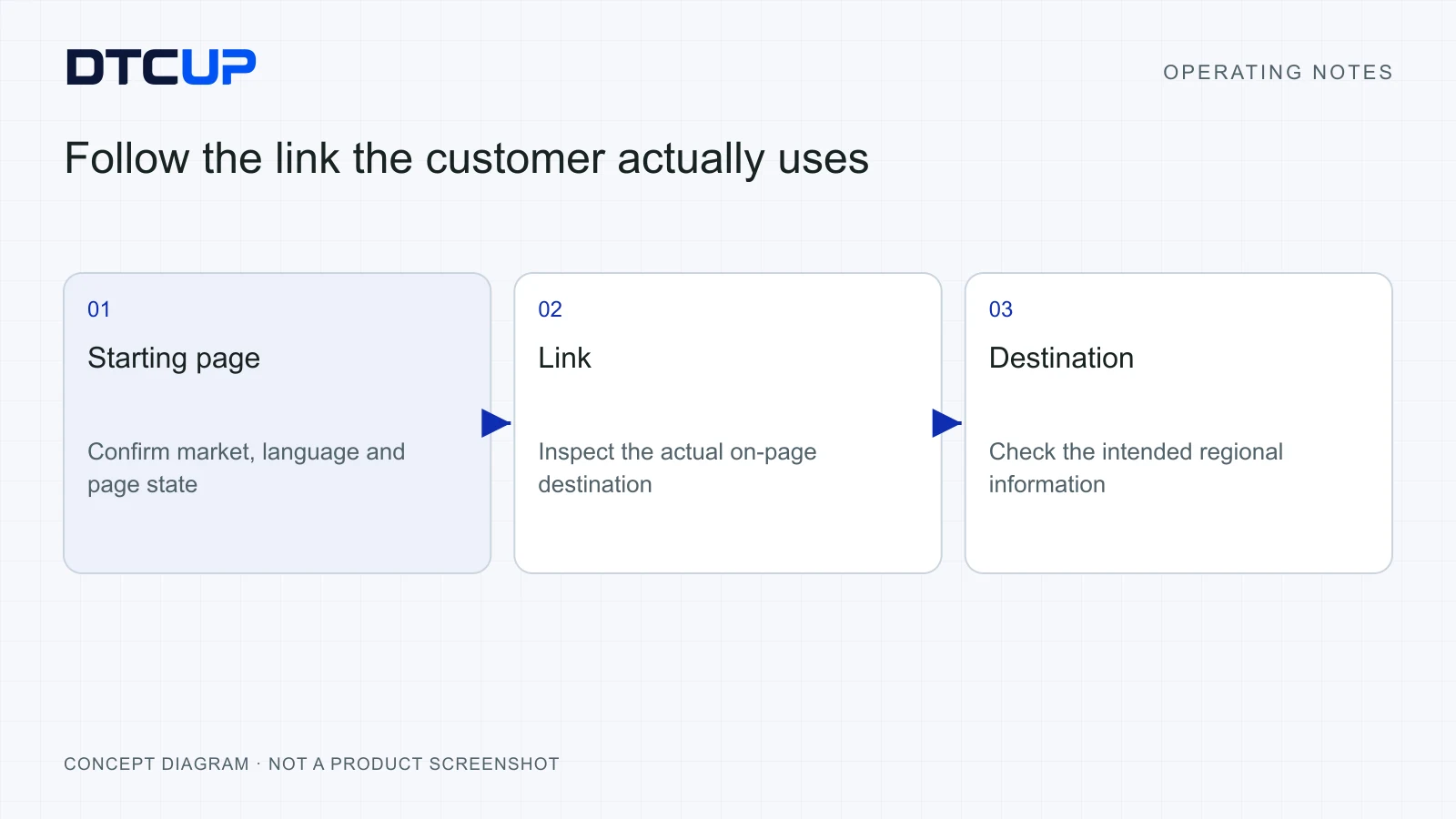
Be careful with international variations. A link may send a regional visitor to a different language, currency or storefront than expected. Record the market context during inspection and test the intended path. A successful response from a server does not prove that the visitor reached the right experience.
Keep content relationships useful. This guide links to the Website Page Checker when a reader needs a complementary page review, and to the AI Bot and Robots Checker when crawler access rules need focused inspection. Those are different questions. The links should explain which question each tool helps answer.
When a URL changes, update internal links and the relevant canonical and discovery paths, then verify the old-to-new redirect. Avoid using the homepage as a universal substitute for missing pages. A visitor seeking a precise answer has not been helped merely because the new destination is technically alive.
Check structured data against the visible page
Structured data is a machine-readable description of information on the page. Think of it as a set of clearly labeled fields attached to the content. It can describe an article, product or organization, but the description must remain consistent with what the page actually supports.
Start by checking which types are detected and whether they make sense for the page. An instructional article should not pretend to be a product offer simply because a plugin can generate that format. A product description should not include a price, rating or availability state that the business cannot verify.
Look for stale or conflicting values. Two plugins may produce overlapping descriptions. A template may retain an old organization name or an outdated product field. The report helps you find the evidence, while the repair should address the source that generated it. Adding a third block of markup usually does not make two conflicting blocks more persuasive.
Compare meaningful fields with visible content and the appropriate source of truth. Does the author match the article? Does the URL identify the intended page? Does the described product correspond to the visible variant? If a commercial value changes dynamically, check how the website keeps its structured description aligned.
A detected block is not a promise of a special search appearance. Search engines make their own eligibility and presentation decisions. Syntax, truthful content, page purpose and other requirements matter, and an inspection only establishes the evidence it collected. Avoid treating a green mark as a certificate that traffic growth has been approved by the internet.
Use a clear correction request. State the field, the current value, the expected value and the source. “The article author field names the organization, while the page identifies Jack Hu as the author” is an actionable observation. It gives a developer or editor a concrete condition to fix and verify.
Preserve the wider SEO decision when repairing a field. A change to a schema value should not accidentally alter the canonical address, indexing status or visible article meaning. Review the final rendered HTML after the repair. This is especially important when several plugins or template layers contribute to the page.
For a focused drafting task, the Website Schema Generator can help prepare structured data around verified information. Review the generated result against the actual page before using it. Generating markup and establishing that it truthfully describes a live page are related but separate steps.
Add provider data for a question it can answer
DTCUP Site Analyzer’s local page inspection can be useful without a provider account. Optional connections to supported providers such as Ahrefs or Semrush add another kind of evidence when you have the required authorized API access. Your provider plan, permissions and allowance determine what is available, and requests can consume provider credits.
Keep local observations and provider estimates distinct. A page title read from the current document is an observation about that page state. An external traffic estimate comes from a provider’s data and method. Combining them in one view can be helpful, but they do not acquire the same meaning just because they share a screen.
Choose the question before retrieving extra data. If you are checking a missing heading or an incorrect link, the local evidence may be enough. If you are comparing discovery opportunities or examining supported backlink information, provider data may add context. A connection should serve a decision rather than become a compulsory decoration on every report.
Record the scope and timing of the external result. Which URL or domain did it describe? Which market or period applied? When was the information retrieved? These details help explain why two views differ and whether the evidence is suitable for the question you are asking today.
Leave missing data visibly unavailable. An API permission problem, an unsupported field or an exhausted allowance should not turn into a zero. Zero is a value. Unavailable describes a limitation in what was established. The distinction prevents an innocent connection issue from being reported as a dramatic commercial collapse.
Use the product’s current connection and privacy instructions. Provider credentials belong in the appropriate connection controls, not in a page note or a shared prompt. Optional DTCUP sign-in can support the product’s account-related preferences, while local analysis and provider authorization have their own roles. Account access does not create a provider entitlement.
When presenting the report to a colleague, explain the source beside the conclusion. “The page has no visible delivery explanation” and “the provider estimates a discovery opportunity for this subject” are different statements. Keeping them separate makes the recommendation more credible and helps the team choose what additional evidence to collect.
Prioritize findings by the decision they block
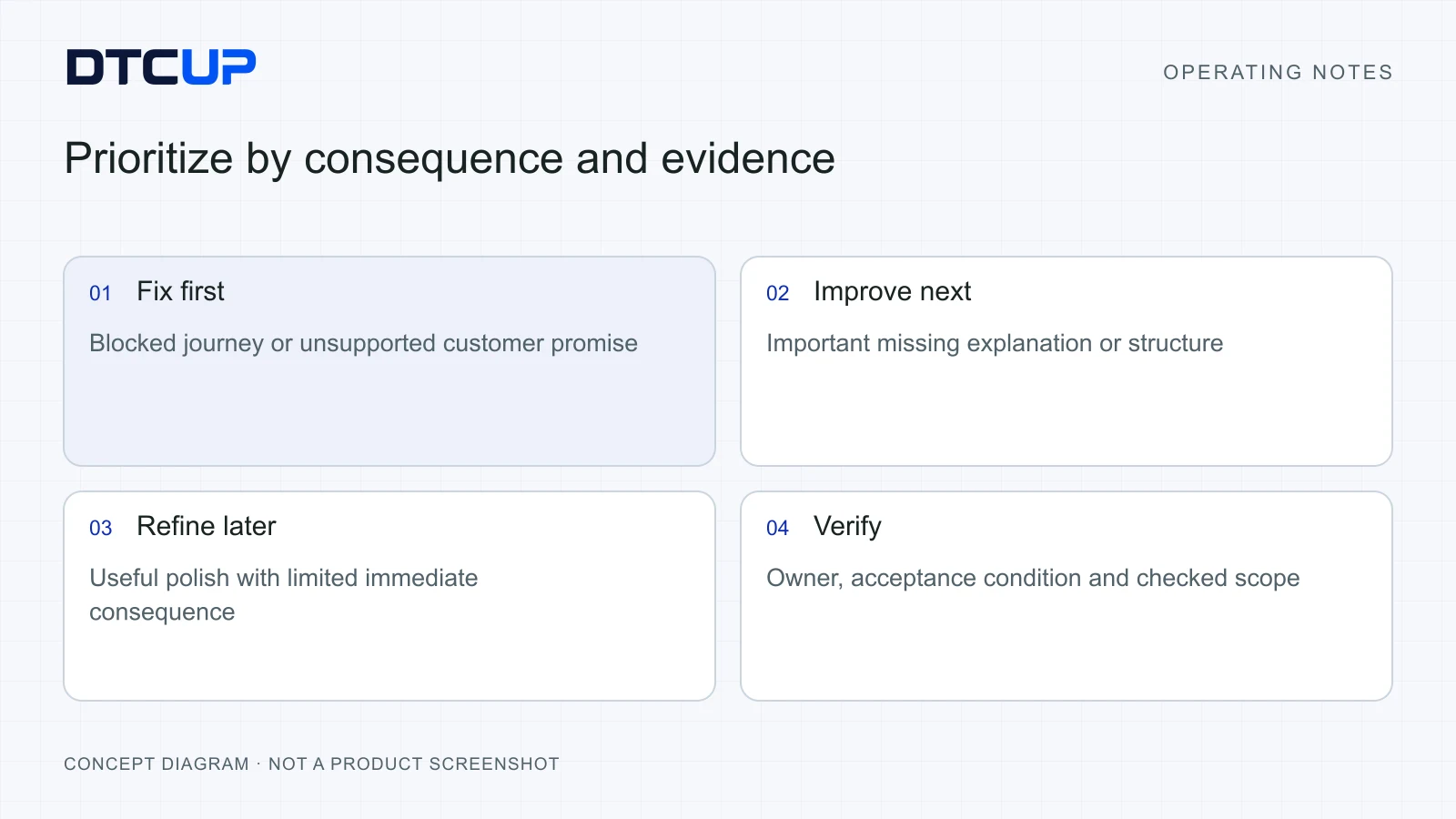
A useful priority system connects each finding to a consequence, an affected audience and a feasible repair. It gives the team a reason to act. Counting red warnings may identify a workload, but it does not establish an order of work.
I start with blocking problems. Can the intended visitor reach the correct next step? Can a public page be discovered as intended? Does the page make an unsupported promise that could mislead a customer? Those questions often deserve attention before small refinements to wording or layout.
Next, consider high-friction understanding problems. A page may technically work while leaving important questions unanswered. Missing compatibility information, a confusing language change or an unclear delivery condition can stop a decision. These issues may not appear as a single neat technical error, so combine the report with customer questions and direct page review.
Then examine improvements that make a good page clearer. A more specific title, better image descriptions or a stronger internal link can help readers understand and navigate. Give these changes an explicit purpose too. “Improve metadata” is an activity; “help a reader distinguish this installation guide from the product overview” describes the desired improvement.
Estimate the extent of the problem. Is it one page, one template or an entire language version? A template repair may solve many occurrences, but it also needs a broader regression check. A narrow page correction may be quicker and safer when the issue is genuinely isolated.
Use confidence as part of the priority. A confirmed broken purchase link has strong evidence. A suspected cause of lower traffic may need investigation before a change. Mark the uncertainty instead of assigning every suggestion a confident severity label. The team can then separate immediate repairs from questions that need more information.
Make effort visible without letting it dominate the list. A small, useful correction is a good way to build momentum. A larger architectural problem may still matter more. Keep the owner, expected effect and verification method beside each item so easy tasks do not quietly consume the entire improvement budget.
Limit work in progress. Choose a small batch of findings that the team can repair and verify. An audit with two hundred unresolved entries can become background wallpaper. A batch of three owned improvements, each with a clear acceptance condition, is much more likely to change the website.
When a repair requires browser execution, give DTCUP Browser the selected page, authorized action and completion evidence. The browser task guide explains how to keep preparation, saving and confirmed publication distinct.
A worked review of an international product page
Consider an illustrative home-goods product page preparing for a new regional campaign. The page receives interested visitors, but support repeatedly answers questions about delivery timing and product fit. The team wants to improve the page before increasing traffic. This scenario demonstrates a method, not a claimed DTCUP customer result.
The page brief says that a first-time visitor should understand the product’s intended use, confirm whether it fits their space and find a realistic delivery expectation. The reviewer records the regional URL and anonymous page state. They also obtain the approved product facts and delivery policy so expected values have a real source.
Quick View shows that the title describes the product clearly, while the description repeats a generic site-wide sentence. The heading outline contains several promotional sections but no practical fit explanation. The reviewer records those findings separately: metadata lacks a distinct page promise, and the body leaves an important suitability question unanswered.
The image review finds a useful dimensions diagram with missing alt text. The correct repair is a concise description of the actual diagram, not a repetition of the product keyword. If the diagram itself contains an incorrect measurement, alt text cannot repair the underlying fact. The reviewer checks the approved source before suggesting wording.
The link review finds that the delivery policy link sends regional visitors to a different storefront. The server responds successfully, so a basic alive-or-dead test would miss the customer problem. The team needs the appropriate regional destination and a check that the destination’s promise matches the product page.
The structured-data review shows an availability value that does not match the selected page state. The reviewer traces the generating source rather than inserting another competing value. The developer receives the observed field, the expected behavior and the conditions under which the mismatch appears.
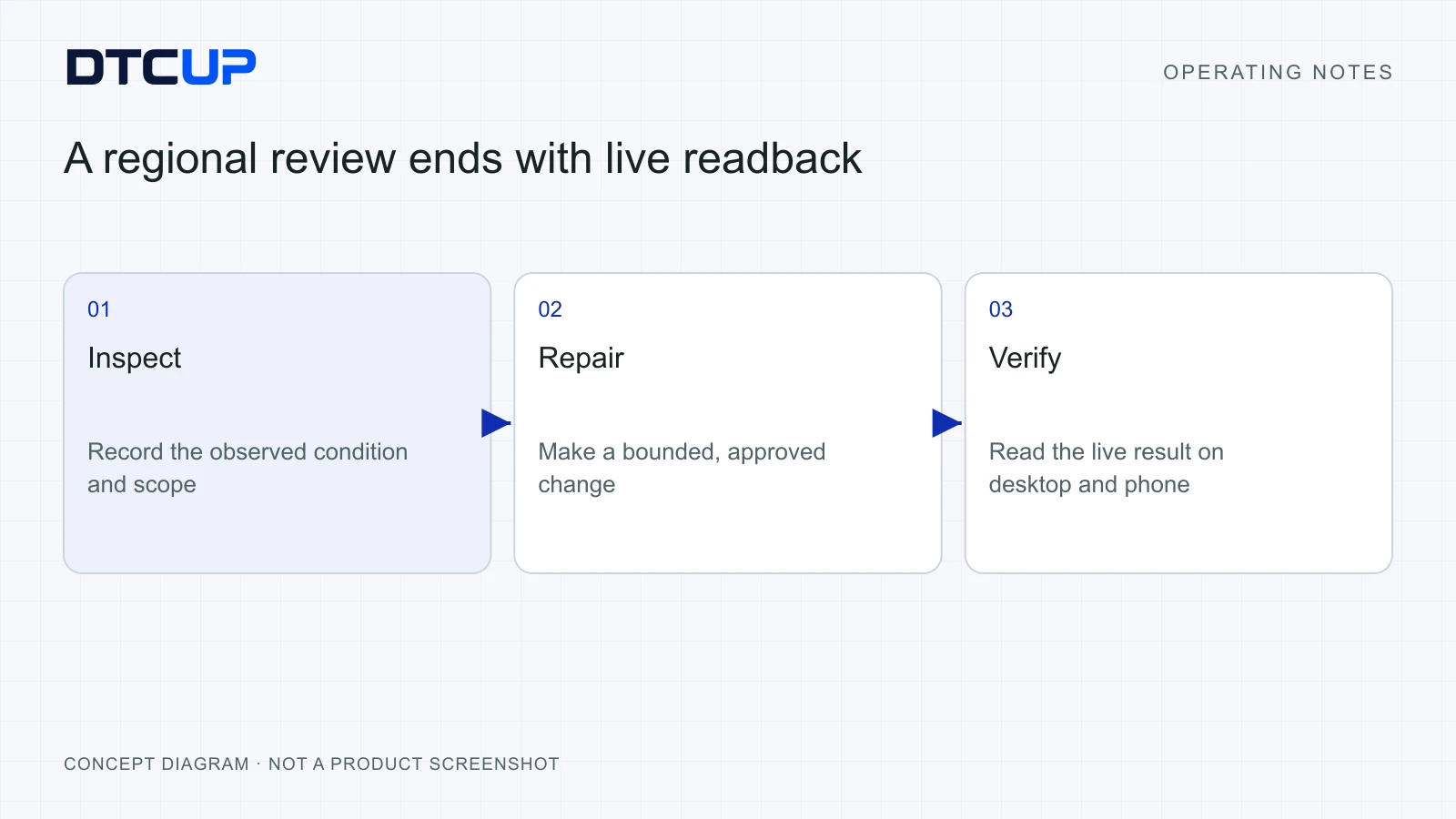
The team prioritizes the wrong regional destination and the unsupported availability description first. It then adds the missing suitability explanation and writes a page-specific description. Each item has an owner and an acceptance check. The review avoids claiming that these changes will produce a particular conversion increase.
After release, the operator inspects the same regional page under comparable conditions. They verify the corrected destination, visible information, metadata and structured-data output. They also test the next purchase step so the repair has not damaged the journey it was meant to improve.
Finally, the team records a later business review: are relevant support questions becoming less frequent, and can visitors complete the suitability task more easily? Those results require observation over an appropriate period. The analyzer establishes the page evidence; DTCUP Intelligence can help organize the commercial question around the available connected data.
Choose a small but representative page set
One page can reveal a real problem without telling you how widespread it is. Before proposing a site-wide repair, inspect a small set that represents the important differences in your website. Include the relevant page types, language or market versions and customer entry paths. This gives the team a way to separate a local content issue from a shared template problem.
For example, choose a product page with variants, a simpler product page, a category, a practical article and an important support page. Add a regional version when the business question concerns international traffic. The sample should follow the question; there is little value in inspecting five unrelated pages simply because five sounds reassuringly thorough.
Compare repeated elements across that sample. If every page shows the same description ending, the content process or template may be responsible. If only one regional page links to the wrong policy, the problem may be narrower. Write down what is consistent and what differs before deciding where to change the site.
Keep page sampling separate from claims about a full crawl. Inspecting several pages does not establish that every URL on the website has been checked. Report the inspected set and the conditions used. This makes the findings useful to a developer and prevents a limited review from acquiring a surprisingly large certificate of completion.
Use a simple evidence table with page, observed condition, intended condition, suspected source and confidence. A shared pattern may justify investigating a template, while an isolated mismatch may justify a page edit. The table keeps the reasoning visible. It also helps a second reviewer challenge your diagnosis before the team makes a broad change.
Check whether a supposedly repeated problem has a legitimate exception. A support article, a campaign landing page and a transactional page may intentionally have different indexing or navigation behavior. A consistent website does not mean every page has identical settings. Consistency means that the differences follow a sensible, explainable purpose.
Choose the repair scope with the person who owns the website architecture. A common metadata problem might need an editorial workflow change rather than a new URL structure. A set of broken links might need precise destination corrections rather than a navigation redesign. The analyzer provides evidence; the authorized business and technical owners determine the change.
After a shared repair, revisit the sample and include an appropriate exception case. Confirm that the problem is corrected where intended and that the exception still behaves properly. This is a practical way to make testing proportional without assuming that one good screenshot proves an entire website is healthy.
The habit pays off over time. Your team develops a small collection of representative pages for recurring checks, with clear reasons for including each one. Reviews become easier to compare and hand off. The report stops being a yearly ceremony involving a very large spreadsheet and becomes part of how the website is maintained.
Compare and verify after the change
A before-and-after comparison is useful when both captures describe comparable conditions. Use the same intended URL, market, language and relevant page state. Record when each capture was made. If the environment differs, explain which findings may be affected before drawing a conclusion.
Check the repaired condition directly. If the task was to correct a canonical destination, read the final canonical. If it was to add useful alt text, inspect the image and its actual alt value. If it was to improve an internal link, follow the destination. Verification should match the original acceptance condition.
Look for nearby regressions. A template change to metadata might affect other pages. A new delivery block might obscure a button on a phone. A URL repair might leave an old internal link behind. The scope of the check should follow the scope of the change, rather than stopping at the first successful screenshot.
Use the export formats that suit the handoff. JSON can preserve structured evidence for technical use, CSV can support a review table, and a printable report can help a colleague scan findings. Choose one useful artifact rather than producing every format because the buttons are available.
Keep the report understandable outside the tool. Include the inspected page, the relevant condition, the observed value and the requested repair. A colleague should not need to reconstruct your browser session to understand the finding. If the evidence is incomplete, state what needs another check.
Preserve existing URLs and indexability unless the authorized repair requires a change. When a URL does change, record the precise old-to-new mapping and verify the redirect and new page. A technical cleanup should not casually discard the address that existing visitors or search engines already know.
Separate technical verification from business impact. The corrected page may be live and accurate today, while search discovery, customer understanding or commercial performance needs later observation. Report both states honestly. This gives the business a clear next review instead of attaching an imaginary success percentage to a finished development task.
Use the findings to improve the publishing process. If many pages miss meaningful alt text, add an image review step. If generic descriptions keep appearing, improve the editorial brief. An analyzer becomes much more valuable when repeated findings lead to a better operating habit, rather than another recurring cleanup invoice.
For example, suppose a regional product page originally sent its delivery link to the wrong country. The repair record should include the old destination, the intended regional destination and the final observed destination after the change. Open the link from the live page, rather than pasting the new address directly into the browser. That checks the route the customer actually takes. Then inspect another page using the same navigation component. If both now work, record the checked scope; do not label the entire international website verified on the strength of two clicks.
Give the finding a closure condition before assigning it. “Improve the website” is a wish with a keyboard. “The delivery link on these three pages opens the approved regional information, with the same result on a phone and desktop” is an achievable task. A clear finish line helps the person making the change and the person checking it agree on when the work is complete.
Questions about a practical website audit
Is DTCUP Site Analyzer a website or a browser extension?
The analysis experience runs in the Chrome extension, with Quick View on the current page and a fuller report. The website provides the current product, installation and account-related guidance. Opening the website is useful for getting started; ordinary page inspection happens around the page you are reviewing.
Do I need Ahrefs or Semrush to inspect a page?
Local page analysis can be useful without a provider connection. Optional provider reports require suitable authorized API access, and availability depends on the provider’s plan, permissions and allowance. Retrieve external data for a defined question, and keep missing information visibly unavailable.
Does a good audit result guarantee better rankings?
No individual inspection can guarantee search rankings or traffic growth. The report establishes particular observations and checks. Use it to make the page accurate, understandable and easier to navigate, then measure the business or discovery question with appropriate evidence over time.
What should I fix first?
Start with problems that block the intended journey or create an unsupported customer promise. Then address important understanding gaps and useful refinements. Consider the affected audience, extent, evidence, effort and owner together. A long warning list is not automatically a sensible work order.
Should every image contain the target keyword in its alt text?
Write alt text around what an informative image actually shows and its relevant context. Decorative images can have empty alt text. Repeating a keyword template across unrelated images makes the page less informative and can describe details that the picture does not contain.
How does the report become part of a growth workflow?
Use the report to define a bounded repair, verify the live result, then review the customer or commercial effect. Browser can assist with authorized execution, CRM can hold approved support knowledge and Intelligence can organize the measurement question. The six-app workflow connects those roles without assuming that every handoff happens automatically.
Still have a question?Ask the DTCUP Community ↗