
DTCUP CRM: Build a Customer Record Sales and Support Can Both Use
Set up a shared customer notebook with dependable ownership, reviewed company imports, approved knowledge and follow-ups that protect real customer promises.

7 years of experience building and operating brand websites, specializing in website development, paid advertising and SEO. Built a brand website from launch to US$10 million in annual sales.
The Short Answer
Start with one customer workflow and distinguish companies, people, opportunities and cases. Preview company imports before confirming them, preserve important ownership, and give every handoff a clear next action. Keep approved knowledge and workspace discussion visibility explicit.
Key takeaways
- Keep relationship records connected without mixing their purposes.
- Review mappings, row previews and update policy before company imports.
- A handoff needs the need, facts, promise, owner and next action.
- Return approved group decisions to the authoritative customer record.
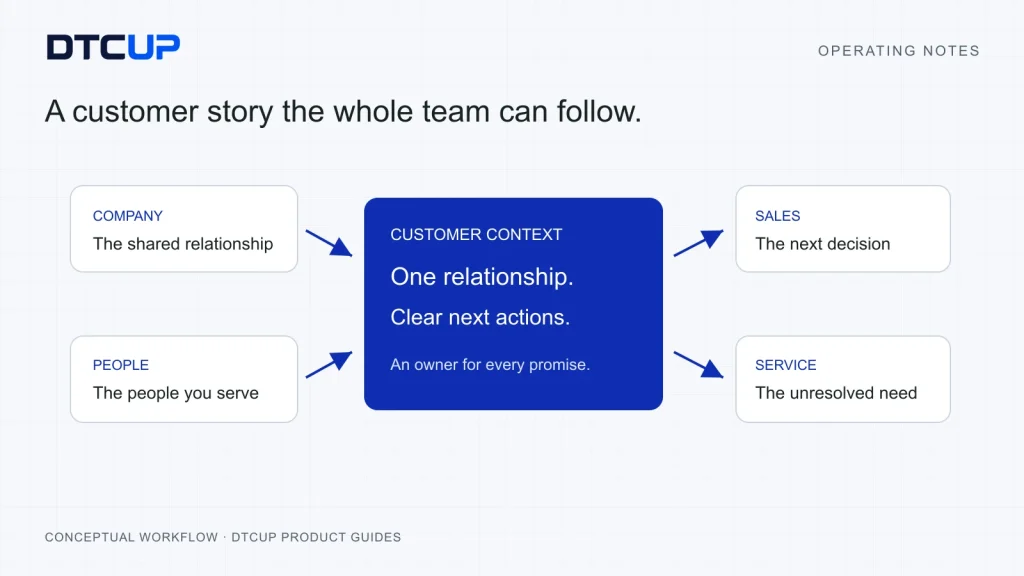
A customer rarely experiences your company in the order shown on your organization chart. They ask a product question, speak to sales, receive an order update and later contact support. To them, this is one relationship. Inside the business, it can become four inboxes, three spreadsheets and a colleague saying, “I thought someone else had replied.” The customer did not buy a ticket to that relay race.
A CRM, or customer relationship management system, should help the team keep that relationship understandable. Think of it as a shared customer notebook with responsibilities attached. The useful outcome is not the largest possible contact list. It is knowing who the customer is, what has been agreed, what remains unresolved and who will take the next step.
DTCUP CRM, also described in the ecosystem as Customer Care, brings customer and company records, sales work, service work, knowledge and team coordination into a workspace. Its recent improvements include a more compact interface, a reviewed company CSV import and workspace discussion groups. These changes matter when they reduce the friction between finding a record and doing the work the record exists to support.
This guide explains a practical way to use those capabilities without turning customer management into a second occupation. We will start with a small record model, work through company imports and handoffs, and then connect approved knowledge, follow-ups and reporting. Examples are illustrative operating scenarios, not claims about a particular customer’s results.
Start with the customer question, not the field list
Before importing anything, ask which recurring question the team cannot answer reliably today. It might be “Who owns this enquiry?” or “What did we promise this company?” It might be “Which open cases need action before the regional launch?” Choose a question that affects real customer work. A system designed around that question will be easier to operate than one designed around every field somebody might conceivably want one day.
For a small international team, I would begin with three commitments. Every active relationship has an identifiable owner. Every important promise has a record the next colleague can understand. Every unresolved task has a next action and a review point. These commitments give the database a purpose beyond demonstrating that the business has purchased a database.
Separate necessary information from interesting information. A customer’s market may be essential for routing a delivery question. Their preferred contact route may matter for responding appropriately. An invented personality label based on two emails probably does not help. Ask how each proposed field changes a decision or action. If nobody can explain the use, leave it out of the initial workflow.
Define the boundary of the workspace as well. Which brand, team or business unit does it serve? Who should see the customer records and internal discussions? DTCUP’s shared identity provides an account entry, while product permissions and workspace access still need their own checks. Logging into one product is not a magic permission slip for every customer record elsewhere.
Write a short operating note before the rollout. State the first workflow, its owner, the records it needs and what counts as a successful handoff. Keep it short enough to use during a busy day. If the explanation requires a training course before anybody can record a simple customer question, the first workflow is probably carrying too much luggage.
Keep companies, people, opportunities and cases distinct
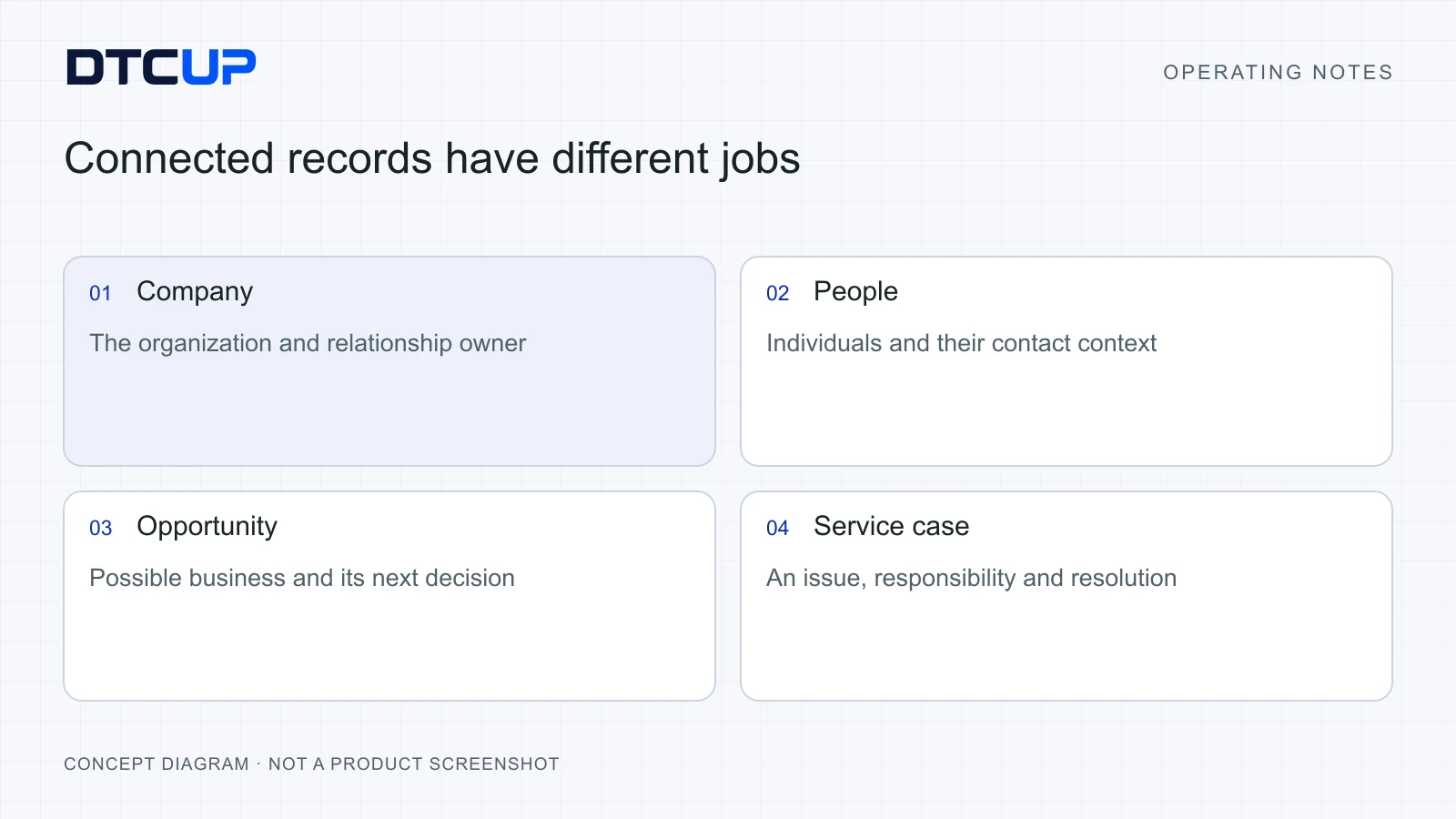
A company record describes the organization. A person record describes someone you deal with. An opportunity describes possible business. A service case describes an issue or request that needs resolution. These records are related, but they answer different questions. Treating them as one large note makes it difficult to distinguish an unresolved support problem from a promising conversation about a future purchase.
Consider an illustrative distributor named Harbor Retail. One person handles buying, another handles delivery coordination and a third raises a service issue. The company can remain the common organization, while the people retain their own contact details and responsibilities. A sales opportunity can describe a proposed expansion without pretending the existing service issue has been solved.
Use the current product’s supported record relationships deliberately. Do not assume a company import moves existing contacts or creates every related record automatically. In the reviewed company import, company creation and update are the scope. Contact movement is not silently bundled into the operation. That separation protects an existing relationship from an import that was only meant to tidy company information.
Keep identity fields stable and ordinary. Use the actual company name and a consistent naming convention. Decide how to represent trading names or regional entities before importing a large list. Two similar names may represent the same company, different subsidiaries or unrelated organizations. Similar spelling is a reason to review, not sufficient evidence to merge.
Choose a small number of useful status labels. A lead may need qualification, an opportunity may have a defined next step, and a case may be waiting for customer information. Each status should explain the work state. “Pending” without saying what or whom it is waiting for becomes a comfortable sofa on which tasks can sleep indefinitely.
Ownership deserves a separate decision. A company owner, an opportunity owner and a case owner may be different people. Make the difference visible in the working process. The colleague responsible for a commercial relationship does not automatically become responsible for every delivery investigation, and the support agent should not have to guess who can approve a commercial commitment.
Prepare company data before it enters the workspace
CSV is a plain table file: useful, portable and capable of carrying a surprising amount of confusion in a very small package. Before uploading it, make a working copy and inspect the column headings. Remove columns that do not belong in this import. Check that each row represents one intended company rather than a mixture of companies, individual contacts and notes.
Normalize the easy inconsistencies first. Trim accidental spaces, use a consistent country convention where relevant and check whether company names contain obvious typing errors. Preserve the real meaning of the data. “Cleaning” should not turn two legitimate regional entities into one company merely because a shorter table looks tidier.
Pay attention to blank cells. A blank can mean “unknown,” “not provided” or “deliberately empty.” These are different intentions. The reviewed DTCUP company import supports a cautious approach: skip existing matches by default, with an explicit option for nonempty updates. Existing ownership and empty incoming fields are protected under that workflow. Read the preview rather than assuming a blank cell is an instruction to erase something.
Look for duplicate rows within the file before comparing it with the workspace. An export can contain the same company several times because it originally listed multiple people. If you intend to import companies, decide which values belong to the company and resolve contradictions. Do not let the order of rows accidentally decide which phone number or address becomes authoritative.
Ask the data owner to explain ambiguous records. This is often faster than building elaborate rules to guess what a spreadsheet meant. Record any agreed naming convention so the next import can follow it. The goal is a repeatable working habit, not a heroic cleanup that only one person understands.
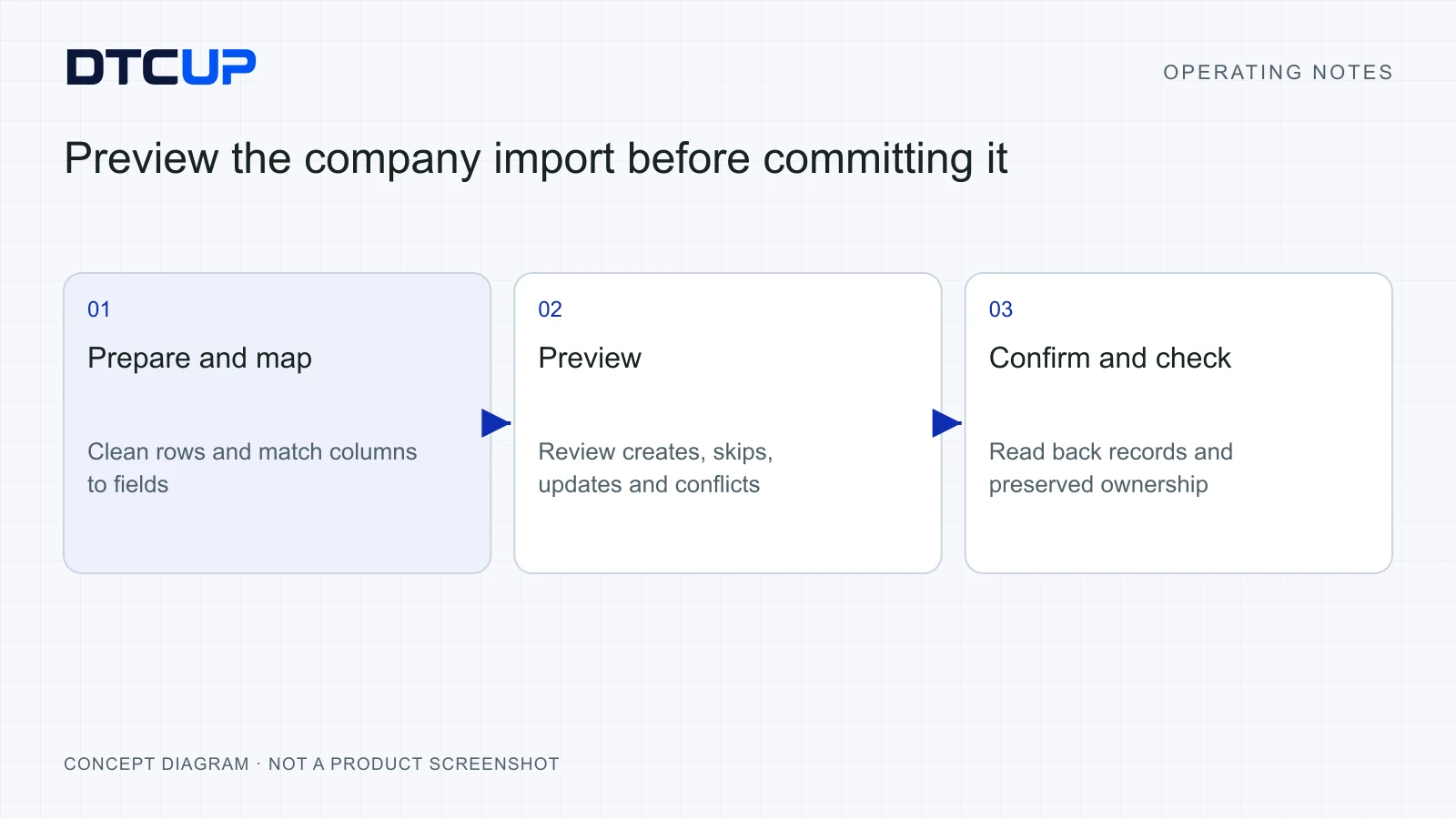
Finally, choose a small representative first batch. Include a new company, a clear existing match, a deliberate nonempty update and a duplicate or conflict that should be stopped for review. That gives you evidence of the workflow’s behavior before you entrust it with the full list. A quiet preview is much less expensive than a loud afternoon repairing a customer database.
Use mapping and preview as a decision step
Field mapping means telling the importer which source column belongs in which destination field. It sounds technical, but the basic question is simple: does the column labeled “Business” contain a company name, an industry or somebody’s personal note? Read sample values before choosing a mapping. A familiar heading can hide unfamiliar data.
After mapping, inspect the row preview. Review which companies would be created, which would be skipped and which would change under the selected policy. Pay particular attention to company-name matches, duplicate rows and conflicts. The import’s preview is an opportunity to make a decision while the live records are still unchanged.
Use default skipping when the incoming file is mainly a list of new companies and the existing workspace is more trusted. Use an explicit nonempty update only when you know which source should supply the revised fields. Permission to upload a file is not the same as a reason to replace good existing information.
The reviewed workflow includes batch transaction protection and request recovery. In ordinary language, the system is designed to handle the import as a controlled batch and recognize the outcome of the same request. That helps with uncertain connections. It does not remove the need to review the data, and it is not permission to create a second, slightly different import whenever a browser looks slow.
If a submission’s result is unclear, check the recorded outcome and affected companies before starting again. Reusing a known request’s recovery behavior is different from inventing a fresh request. This is the same principle discussed in the DTCUP Browser guide: a delayed response should trigger verification, not an enthusiastic repetition of a potentially completed write.
After a successful import, read back the representative records. Confirm the new company’s owner, the existing company’s preserved owner, the intended nonempty update and the treatment of blank fields. Record the batch’s purpose and result in the team’s operating notes. The original CSV is not retained as an enduring source file by this import workflow, so keep any source document according to your own approved data-handling process.
Give each customer handoff a clear finish line
A handoff is not complete because somebody forwarded a message. It is complete when the receiving person understands the task, has the relevant context and knows the next action. This distinction matters across time zones, where an unclear request can lose a full working day before anyone has the chance to ask what it meant.
Use a short handoff structure: the customer’s need, the verified facts, the commitment already made, the unresolved question and the next owner. Add a due point where the work needs one. A colleague should be able to read that structure without opening twelve messages and conducting an interview with the person who went offline.
Separate the customer’s words from the team’s interpretation. “The customer asked whether the delivery date can be confirmed” is an observation. “They are probably about to cancel” is an interpretation. Both may matter, but the second needs evidence. Mixing them can cause the next colleague to respond to an imagined problem while missing the actual question.
Distinguish an internal target from an external promise. The team may aim to investigate by tomorrow. That does not mean tomorrow’s delivery has been guaranteed. Record who approved any customer-facing commitment and the conditions attached to it. A CRM should preserve a promise accurately, rather than making an optimistic sentence look official merely by storing it in a neat card.
Give the receiving person a way to identify missing information. If the case needs an order reference, an authorized product check or confirmation from a supplier, record that dependency explicitly. “Waiting for supplier confirmation” explains a blocked action. “Open” describes almost nothing about what the team should do next.
Close the loop when the work changes. If the promised response was sent through an approved channel, record the outcome according to the supported workflow. If sending remains outside the current connection, do not label the message delivered just because a reply draft exists. A draft, an approved reply and a delivered reply are three different states, however much everyone would like them to be one button.
Make approved knowledge easier to trust than a guess
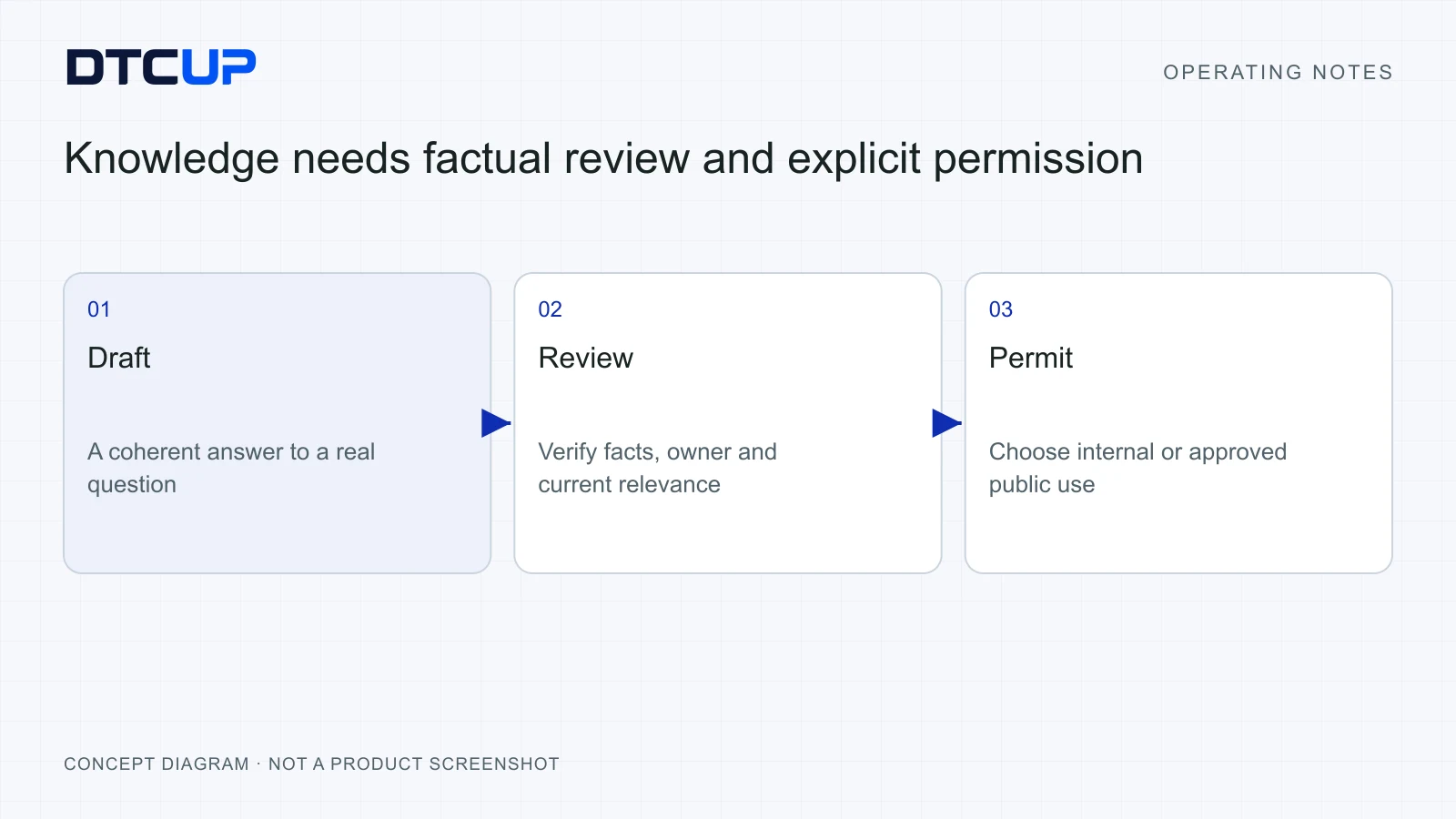
Customer knowledge should answer the questions the team actually receives. Start with a small set of recurring issues: approved product facts, regional delivery explanations, support routes and the boundaries of what the team may promise. Write each entry around one coherent customer question, with enough context to avoid a misleading one-line answer.
Separate internal working information from content approved for public use. DTCUP’s knowledge workflow includes explicit readiness and public-permission controls. Treat those controls as editorial decisions. An internal note may be useful to an agent without being suitable for automatic public disclosure. A checkbox does not replace a careful review of what the entry contains.
Give knowledge an owner who can recognize when it becomes outdated. A delivery explanation may change with a market arrangement. A product answer may change with a revised specification. The review trigger should follow the fact that could change, rather than assuming every entry stays correct until someone complains loudly enough.
Write the answer in the language a customer would understand. If a technical term is necessary, explain it through the customer’s task. “Lead time” can become “the time between confirming an order and having the goods ready for the next step.” Plain language improves human replies and also reduces the ambiguity available to an AI assistant.
If AI-assisted responses are enabled in your configured workflow, approved knowledge can help ground a draft. Grounding means giving the assistant a reliable source to work from, much like asking a colleague to use the current handbook instead of answering from memory. It does not guarantee a correct response. Identity, policy exceptions, uncertain facts and consequential commitments still need the appropriate human check.
Do not assume that a module labeled AI-ready means a paid model, an external provider or automatic replies are already enabled. Check the actual configuration and permission boundary. For a deeper editorial method, the existing guide to maintaining an AI support knowledge base explains how to keep source material useful over time.
Feed resolved cases back into knowledge carefully. A useful case can reveal a missing explanation, but its answer may depend on a customer’s particular agreement. Generalize only the part that is genuinely reusable and approved. Otherwise, today’s helpful exception becomes tomorrow’s accidental company policy, usually discovered by the person least equipped to honor it.
Use follow-ups to protect the next action
A follow-up is useful when it changes what somebody will do. It needs an owner, an action and enough context to reconnect it to the customer work. “Follow up” is not much of an instruction. “Confirm whether the distributor received the revised product information before the next buying discussion” gives the owner a recognizable job.
Choose due points around business reality. A task may depend on the customer’s time zone, an agreed meeting or a supplier response. Include that context in the record where needed. “Tomorrow morning” is wonderfully convenient until the people involved live on different sides of the planet.
Keep the task attached to the appropriate relationship or work item using the current supported workflow. A company-wide relationship review belongs in a different context from a single service investigation. The link should help the owner retrieve the facts, not force them to search the entire workspace for an unusually memorable phrase.
Review overdue work by reason. Some tasks need action now, some need reassignment and some depend on information that has not arrived. Moving every due date to Friday can produce a beautifully green report while preserving every operational problem. Use the review to decide what changes, who is responsible and what the customer should be told.
Do not create several reminders to compensate for an unclear owner. Agree ownership first. Then use one authoritative follow-up for the next action, with supporting notes where necessary. A small team can drown in reminders just as effectively as a large team; the software does not award prizes for the number of notifications generated.
When the task is complete, record the result in a way that advances the relationship. A checked box says the action happened. A short outcome explains whether the customer replied, the decision changed or another action is required. Keep the detail proportional to the work, while preserving anything the next colleague needs to know.
Use discussion groups for coordination, not record duplication
DTCUP’s recent discussion-group workflow gives workspace members a place to coordinate around a topic. Groups can be created and described, joined or left, and archived or restored under the supported permissions. Members join before posting or replying. This provides a clearer working context than placing every conversation in one endless general feed.
Choose groups around recurring collaboration needs. A regional launch, product issue or customer-operations review can be a sensible topic if people know what belongs there. Avoid creating a group for every single company and every minor task before usage justifies it. An empty directory of ambitious group names is not a collaboration strategy.
Be explicit about visibility. The reviewed groups are visible within the current workspace; they are not a private-group feature. A private draft remains visible only to its author under the supported draft behavior, but that is different from a private discussion room. Check the actual permission before posting information that needs a smaller audience.
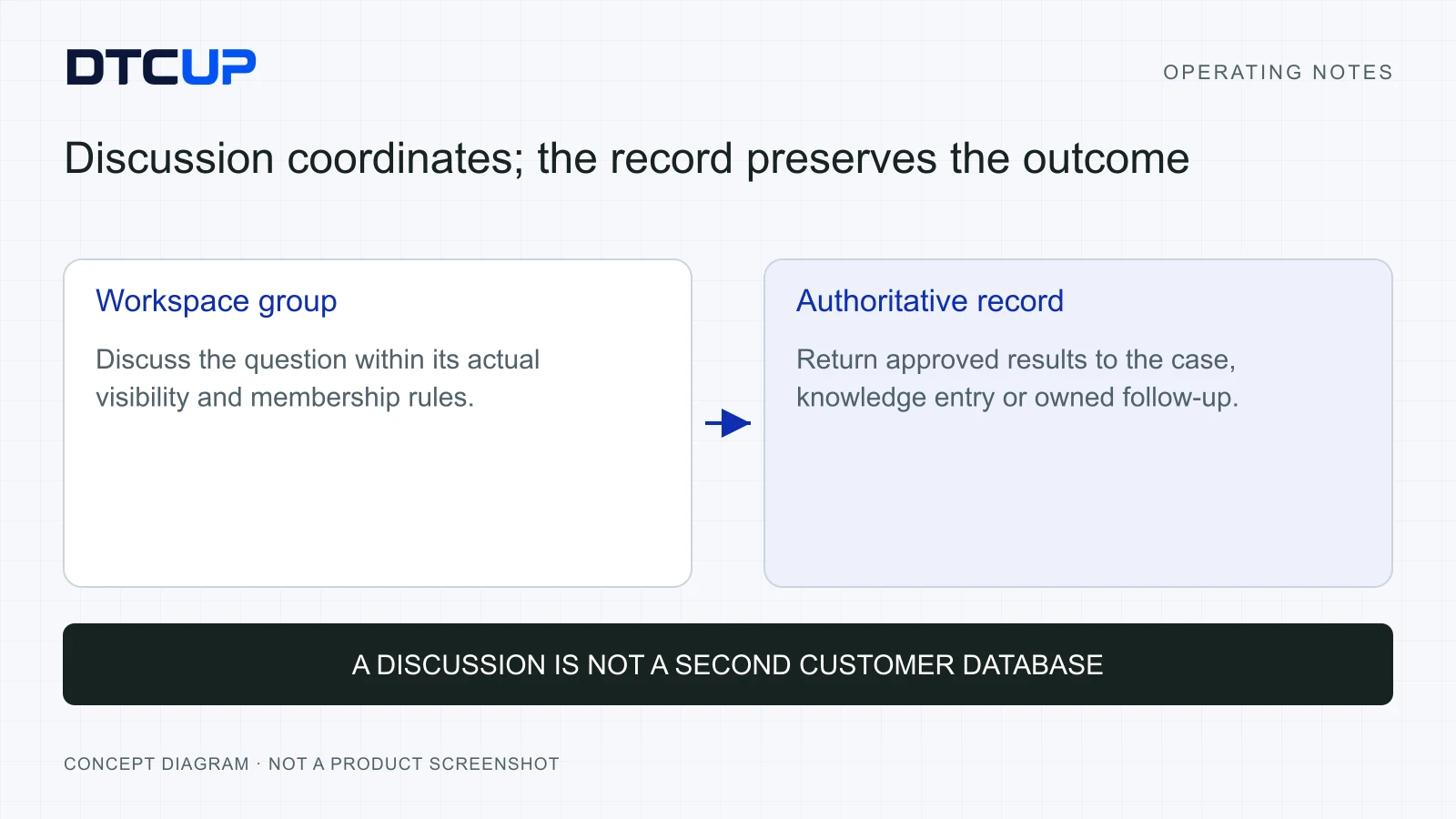
Keep customer facts in their authoritative record and use discussion to resolve coordination. A group can ask who will investigate an issue or discuss a proposed response. Once a decision affects the customer, write the approved outcome back to the relevant case, knowledge entry or follow-up. Otherwise the group becomes a second CRM hidden inside the first one.
Review the chosen group before posting. In this workflow, a published post’s group relationship is not changed afterward. That makes a short destination check worthwhile. It is the digital equivalent of checking the address on an envelope before dropping it into the postbox, with fewer opportunities to sprint after the delivery van.
Use archive status to keep the workspace understandable after a project ends. Archiving a group is different from declaring every task discussed there complete. Review unresolved customer work first, transfer ownership where needed and then archive the coordination space. Restoration supports a later return, but a tidy sidebar should not hide an unfinished promise.
Read the service desk as a work queue
The service desk should help a person decide what needs attention next. Start a review with active work, ownership and the reason a case is waiting. Use the available filters to make that question manageable. A queue is an operating view, not a competition to display the largest possible list on one screen.
The compact layout improvements reduce repeated introductions, oversized gaps and redundant controls across the reviewed routes. The practical benefit is easier scanning and more consistent control placement. Layout alone does not improve resolution quality. A tidy interface still needs accurate states, appropriate ownership and a team habit of checking the next action.
When opening a case, read the latest verified context before replying. Check for a commitment already made, the customer’s market and any related work still underway. This prevents an agent from offering a cheerful generic answer while another colleague is investigating a specific exception. Consistency comes from shared facts, not identical greeting templates.
Distinguish priority from age. An older case may be waiting on information, while a new issue may block a live customer task. Use the team’s agreed rules for urgency and consequences. Those rules should be understandable enough that two agents can apply them similarly, and flexible enough to allow a documented exception.
For sensitive or unusual work, identify who can approve the response. A service agent may be able to explain the current policy but unable to authorize a new commercial term. An internal escalation should preserve the question and the required decision. Forwarding an entire history without stating the requested approval simply transfers reading work.
Check completion from the customer’s perspective. Has the question been answered? Is the promised next step still outstanding? Does the record accurately describe what happened through the available connection? Closing a case because it has become uncomfortable to look at is a remarkably efficient way to make the same customer contact you again.
An illustrative distributor enquiry, from import to resolution
Imagine a small home-goods brand preparing for a new regional distributor. Sales has a company spreadsheet, support has a delivery question and the operations team has product information that needs approval. The following walkthrough shows how the records can support one coherent relationship. It is a planning example, with no invented sales result attached.
First, the data owner cleans the company file and previews the import. An existing company match is skipped because the workspace contains the trusted owner and contact context. One genuinely new regional entity is created. The operator reads both records back and confirms that the import did not silently move people or replace existing responsibility.
Next, the commercial owner records the distributor’s proposed opportunity and its next decision. The distributor is considering a product range, but no final commitment has been made. The opportunity should reflect that uncertainty. Calling it won before agreement would make the sales report happier and the operations team considerably less so.
A buyer asks whether delivery can meet a particular launch window. Support creates or updates the appropriate service work with the customer’s exact question. The team records the current approved explanation and identifies the unresolved operational check. A follow-up has a named owner who will obtain the necessary confirmation before the response deadline.
The cross-functional discussion takes place in the relevant workspace group. Colleagues discuss the options without posting private information beyond the group’s actual visibility. Once an answer is approved, the owner records it in the service context. If the explanation is reusable, a reviewed knowledge entry is updated separately; the specific distributor exception stays clearly labeled.
The team uses DTCUP Meet for the buying conversation where appropriate, with explicit capture and review. After the meeting, a person checks the commercial terms and writes the agreed next action into the CRM workflow. A meeting summary is useful evidence, but it does not automatically become an approved order or supplier commitment.
Before the next review, the commercial owner checks the opportunity, support checks the unresolved case and operations checks the promised follow-up. They do not need to repeat the entire conversation. Each person can see which question belongs to their work and what outcome must be recorded. That is the benefit of connected records with clear boundaries.
Report on outcomes with definitions people can explain
Start reporting with the decisions the team will make. You may need to see which enquiries require ownership, which opportunities lack a next step or which service issues recur. Choose a small number of measures that help those decisions. A chart that prompts no action is sometimes just a very well-dressed screensaver.
Define the count before comparing it. Is a service case created when a customer sends a message, when an agent opens a case or when the team classifies it? Does a reopened case count as new work? Which dates and workspace filters apply? Write the chosen definition beside the report so colleagues do not unknowingly compare different populations.
Keep volume and quality together. A shorter resolution time may be useful, but it needs context about case complexity and reopened issues. More created opportunities may indicate a healthy pipeline or merely looser qualification. Pair a quantity with a review of what it means for customers and the next operational decision.
Look for patterns that can improve the product experience. Repeated delivery questions may point to unclear website information. Repeated product-fit questions may point to a missing comparison or knowledge entry. Use DTCUP Site Analyzer to inspect the relevant page and define a specific repair, rather than asking support to answer the same avoidable question indefinitely.
Use DTCUP Intelligence for an explicitly defined commercial analysis when the necessary sources are available. Customer-work observations can suggest a hypothesis; they do not automatically prove the revenue effect. Keep the evidence and handoff clear, especially where products have separate source permissions.
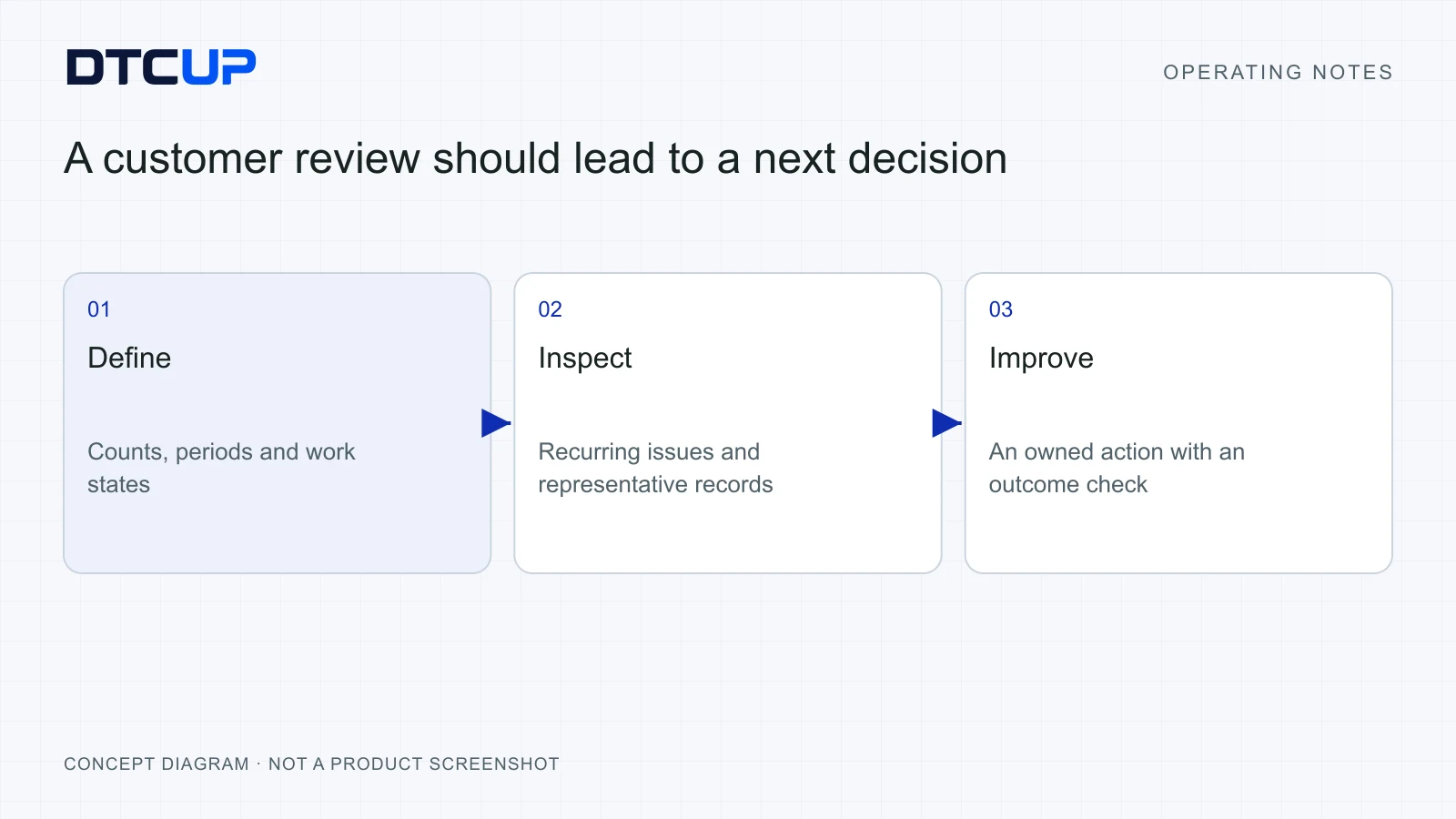
Review reports with an action record. State the finding, its likely explanation, the chosen change and when the team will check it. If the evidence is insufficient, record the next check instead of forcing a conclusion. Over time, this turns CRM reporting into a learning habit rather than a weekly recital of numbers everyone has already seen.
Introduce the workflow in a small, repeatable pilot
Choose one team and one meaningful customer journey for the first pilot. Give the team a small set of representative records and a clear operating note. Walk through ownership, a company import preview, a service handoff, a knowledge review and a follow-up. Use authorized test records or approved real work, and keep the environment boundary obvious.
Ask the people doing the work where they hesitate. Can they distinguish the company from the opportunity? Do they understand who sees a group post? Can they tell whether a reply is a draft or delivered? These questions reveal practical friction that a feature checklist may miss. Fix the confusing instruction before adding another instruction explaining the confusing instruction.
Document current connection limits honestly. An available adapter or settings screen does not establish that Shopify, an email provider, a calendar or another service is authorized and live. Test the actual connection required by the pilot. Automated marketing mail, report subscriptions and external synchronization should never be promised merely because they appear on a future upgrade list.
Measure the pilot through a few observable outcomes. Check whether active work has an owner, whether a colleague can understand a handoff without asking for the whole history and whether important commitments are recorded accurately. Inspect a small sample directly. The aim is a working relationship process, not a perfect score produced by generous interpretation.
Then expand deliberately. Add another team or workflow when the first one has a stable owner and a repeatable routine. Preserve what the team learned about naming, imports, visibility and reporting. The broader DTCUP international growth workflow shows how customer work can connect with meetings, page evidence, commercial analysis, planning and authorized execution.
Turn an unclear internal note into a useful response
Here is a small exercise for the pilot. Take an illustrative internal note that says, “Client needs stock ASAP, probably launch next month, check logistics.” It contains a customer need, an assumption and a task, but none is precise enough to act on safely. Before putting it into a case, ask which parts are verified and which still need a question.
The customer may actually have asked whether a particular product can arrive before a planned campaign. Record the product reference and the customer’s requested date if they supplied them. Keep “planned campaign” separate from a confirmed order. If the date is uncertain, write that uncertainty plainly and ask for confirmation. Do not turn the team’s guess about next month into the customer’s recorded instruction.
Then identify the operational check. The relevant colleague may need to confirm the eligible available quantity, the regional delivery arrangement or the next approved replenishment information. State exactly which answer is needed and who can supply it. A generic instruction to “check logistics” can be passed around forever because everyone can reasonably believe it belongs to someone else.
Write a customer response that respects what is known. For example: “Thanks for sharing the planned launch. We are checking availability and the delivery options for the product you mentioned. Could you confirm the destination and required arrival date? We will use those details to confirm what we can offer.” This is an illustrative response structure, not a new DTCUP delivery promise or a universal template for every business.
Notice what the response does not invent. It does not guarantee stock, commit to an arrival date or announce an approval that has not happened. It also gives the customer a useful next step. A reply can be clear and helpful while acknowledging uncertainty. Customers generally benefit more from an honest explanation than a confident sentence the operations team must later apologize for.
Save the next internal action alongside the response context. The assigned owner checks the required facts, records the outcome and obtains approval for any consequential commitment. If the customer provides new information, update the working question rather than adding a disconnected note at the bottom of a long history. The record should show the current task without erasing the reason it changed.
Use the exercise to improve the team’s knowledge and field choices. If several cases lack a destination, add that question to the relevant intake routine. If agents repeatedly confuse dispatch with arrival, clarify the approved explanation. If the issue is missing authorization, improve the escalation path. Each repeated confusion should lead to one targeted improvement, rather than a new mandatory field for every customer in the database.
Finally, ask a colleague who was not involved to read the record. Can they identify the customer question, the known facts, the unresolved check and the next owner? Can they tell what has actually been communicated? If they can, the record is doing its job. That simple handoff test is often more revealing than a dashboard celebrating how many notes the team has created this week.
Questions about practical CRM use
Use these questions when agreeing on the first team routine. Revisit the answers when the workspace, source quality or authorized connections change; a useful working method should reflect the actual environment.
Should a small business import every historic contact immediately?
Start with the records needed for the first real workflow and a trusted source. A large import can carry duplicate identities, stale information and unclear ownership. Review a representative batch first, establish naming and field rules, and then expand when the team understands how the information will be used.
Will a company import update all related people automatically?
The reviewed company CSV workflow concerns company creation and explicit company updates. It does not silently move contacts. Inspect mapping, matching and preview results, then read back the affected companies. Treat any wider relationship change as a separate, authorized operation with its own review.
Are workspace discussion groups private rooms?
The reviewed groups are visible within the current workspace. Author-only drafts are a separate behavior, and members join before posting or replying. Check current permissions before sharing information. Do not assume that a group name or a small membership list changes the underlying visibility boundary.
Can approved knowledge guarantee a correct AI reply?
Approved knowledge gives a configured assistant better source material, but it does not guarantee correctness or establish that automatic replies are enabled. Review consequential facts, exceptions and commitments. A useful knowledge process makes the right answer easier to find and the uncertain answer easier to recognize.
What should the team review every week?
Review active work without an owner, overdue next actions, unresolved commitments and recurring customer questions. Use clearly defined counts and a small sample of real records. Choose an improvement, assign an owner and agree when to check the result. That is how a shared notebook becomes a dependable operating habit.
Still have a question?Ask the DTCUP Community ↗