
DTCUP Browser: Give AI a Browser Task You Can Actually Trust
A practical guide to clear task briefs, account checks, safe recovery and verified outcomes when AI works in your existing Chrome session.

7 years of experience building and operating brand websites, specializing in website development, paid advertising and SEO. Built a brand website from launch to US$10 million in annual sales.
The Short Answer
DTCUP Browser helps connect an authorized AI-client workflow to your existing Chrome pages. Start with a precise target and permission, read the page, perform the allowed action and verify the saved business result. Treat an uncertain submission as a reason to check before repeating it.
Key takeaways
- Define the account, target and acceptance condition before acting.
- Distinguish a clicked control from a confirmed business outcome.
- Verify uncertain writes before retrying; preserve account boundaries.
- Begin with a small repeatable pilot and expand from reviewed evidence.
You ask an AI assistant to check an advertising report. It opens a browser, finds a table and confidently announces that the job is done. Meanwhile, the table belongs to last month, the wrong account is selected and the export is still thinking about life. The mouse moved. The business problem did not.
This is the practical challenge behind browser automation. A useful assistant must understand what you want, operate the right page and check what happened. Clicking is the middle of that story. When a team treats the click as the ending, small misunderstandings can travel surprisingly far before anyone notices.
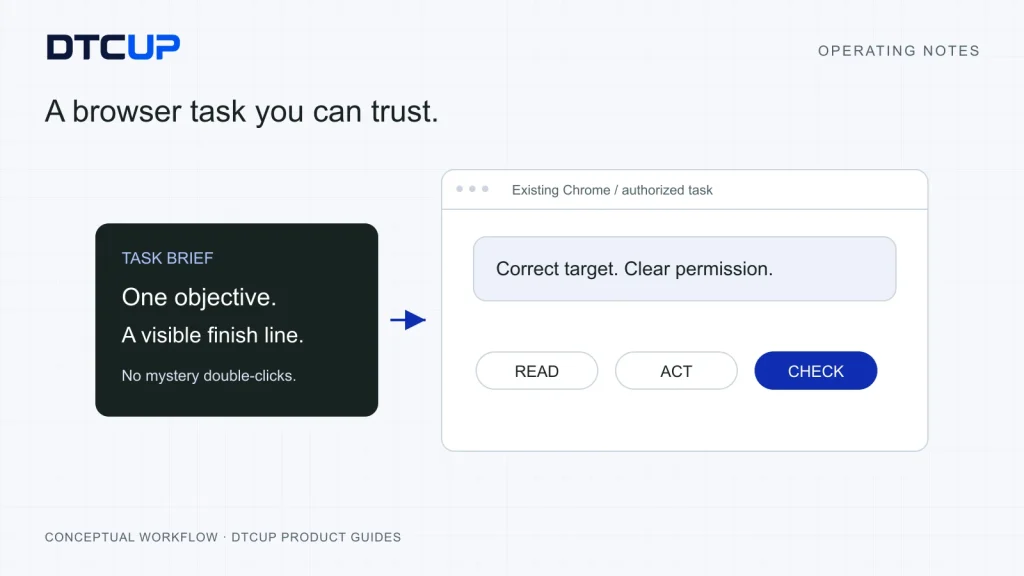
DTCUP Browser connects a local, MCP-capable Codex client to the Chrome pages you already use. MCP is the connection that lets an AI client call a tool; think of it as a properly labeled socket rather than an extra employee. The browser connection provides a way to read pages, carry out authorized actions and inspect results in your existing session. It still needs a clear task and an accountable person.
I would introduce it with ordinary, repeatable work: inspect a report, compare two settings, find a missing field or prepare a change for review. Those jobs teach the team how to ask, how to verify and when to stop. The method in this guide follows that progression. It also explains why a pause can be useful, why an uncertain submission deserves patience and how to avoid turning a helpful assistant into a very enthusiastic double-click machine.
Start with a business finish line
A good browser task begins with an outcome that another person could inspect. “Have a look at marketing” is an invitation to wander. “Open the selected advertising account, compare the last two complete weeks and list campaigns whose purchase cost increased, without changing any settings” gives the assistant a job with a beginning and an end.
Notice how much work that sentence does. It identifies the account, the period, the subject, the comparison and the permitted action. It also establishes that the deliverable is a list of findings. The assistant can complete it without inventing a budget decision or searching for a more exciting button.
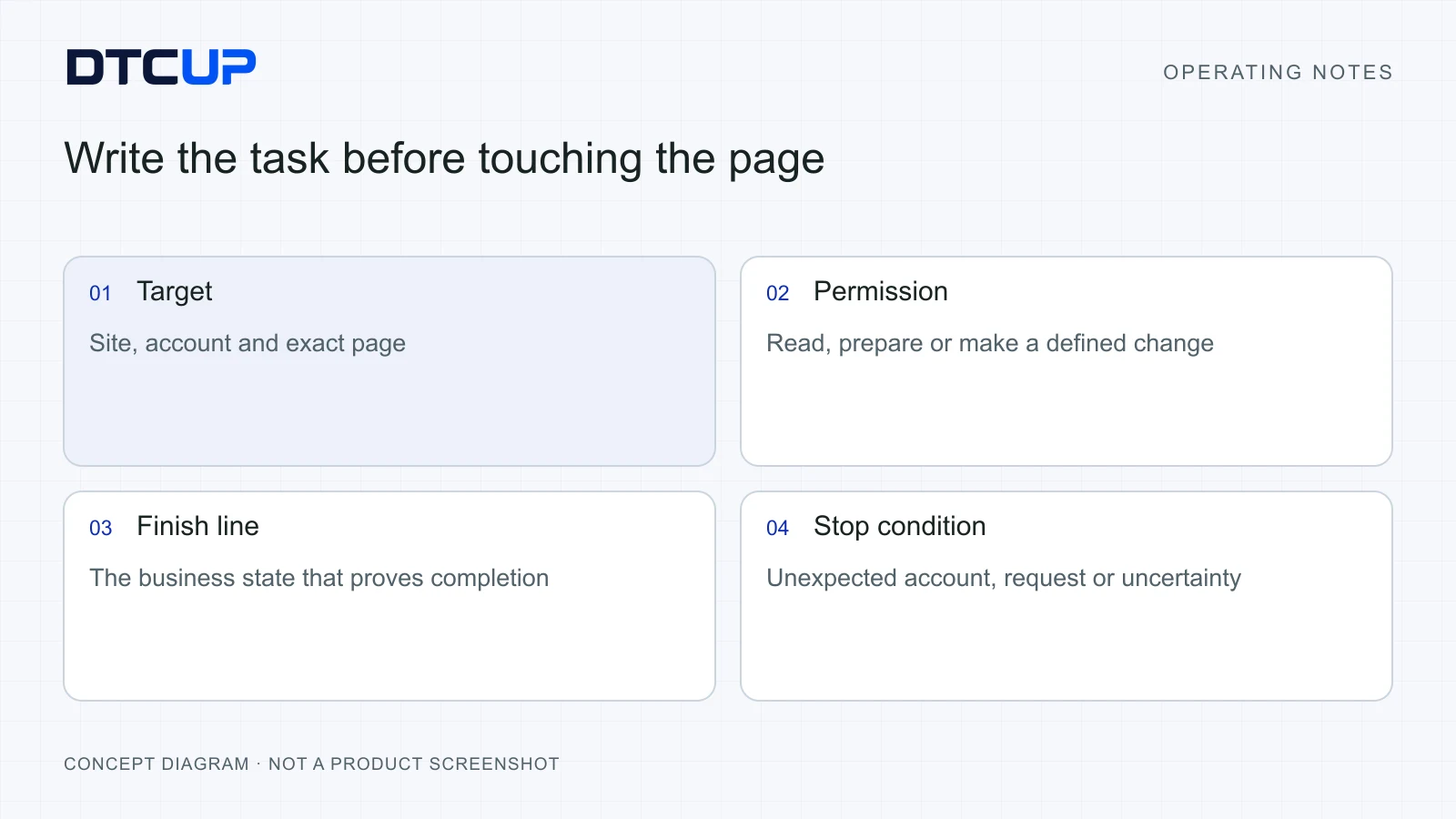
I use four questions before delegating a browser job. What object are we examining? What question are we answering? What action is allowed? What evidence will show completion? You can put the answers in a short paragraph. Nobody needs to write a software contract to download a report. They do need to distinguish downloading the report from changing the account that produced it.
Suppose a colleague wants to update a customer record. The object is a particular contact in a particular company. The question is whether its support address is outdated. The allowed action might be to prepare the corrected address, or to save it if that permission has already been given. Completion is a readback of the saved field on that contact. “The form accepted my typing” is useful progress, but it does not establish that the record changed.
This approach also improves estimates of whether automation is worthwhile. A five-minute job repeated twice a day may be a strong starting point. A one-off task with ambiguous ownership and several irreversible decisions may require more supervision than it saves. Look at repeat frequency, the stability of the interface and the cost of a mistake together. Repetition alone is an incomplete business case.
For a first trial, choose an outcome you can check in under a minute. A CSV containing the expected columns, a screenshot of a known setting or a short discrepancy list all work well. If checking the result requires reconstructing an entire afternoon, the task is probably too large for the first experiment.
Keep the final outcome visible while the assistant works. Page navigation, searches and ordinary recovery belong inside that job. They should not become a collection of mysterious mini-projects that leaves you wondering which one contains the answer. A browser assistant earns its place by reducing the number of loose ends on your desk.
Choose the right tab and account before the first action
An existing browser session is convenient because it already contains your tools and logins. It also contains opportunities for confusion. Many operators have several stores, advertising accounts and customer systems open at once. Their pages can look almost identical. A familiar logo is a poor substitute for checking the account name.
DTCUP Browser is designed around the selected page and account. Make that selection part of the brief. Say which tab or website to use, then ask the assistant to confirm the visible account context before it reads sensitive information or proposes a change. If the page does not reveal enough context, resolve that uncertainty first.
Imagine that you manage a domestic shop and an international shop with similar catalogs. A stock quantity can be perfectly accurate and commercially useless if it belongs to the other shop. The same applies to a CRM workspace. A contact search in the wrong workspace may return no results, which can tempt an assistant to create a duplicate. The absence of a match only becomes meaningful after the scope is correct.
I would separate website access from task permission. Access means the assistant can reach a site. Permission means it may perform a particular action for your stated purpose. Being signed in as an administrator does not turn every available button into an approved next step. An account may expose billing, deletion and publishing controls even when the job only needs a report.
Write the boundary in ordinary language. “Use the open DTCUP workspace, inspect records only, and do not send messages” is clear. So is “Prepare the new description, show it to me, then save after my approval.” The boundary should match the actual business risk. Requiring approval to open every page creates friction; leaving a public campaign launch implied creates a different sort of excitement.
Keep unrelated accounts out of the task. An assistant reading one brand’s records should not borrow another brand’s connection because it happens to work. This sounds obvious until a long day produces a browser with twelve nearly identical tabs and a coffee cup doing its best. Explicit scope protects both your customers and your own attention.
Recheck context after a meaningful account or workspace change. A new tab may inherit a different selection. A platform may remember a previous account. A successful login proves that access exists; it does not prove that the intended business is selected. That small check costs seconds and can prevent a much larger cleanup.
Describe the result instead of directing every pixel
People often try to make automation safer by specifying every click: press the blue button, open the third menu, choose the second row. That description becomes fragile as soon as the platform moves a control or inserts a warning. It is also hard to audit. “Second row” carries little meaning when the sort order changes.
A stronger instruction combines the business meaning with the final value. For example: “Find the campaign named Spring Launch in the selected account. Check its current daily budget. Prepare a change to the agreed amount and show the old and new values before saving.” The assistant can use the current interface while preserving the object and the decision.
For a reading task, specify the output. “Return campaign name, spend, purchases and purchase value for the same date range” is more useful than “take a screenshot of the dashboard.” A screenshot can support the answer, but a named set of fields makes missing information easier to spot. It also tells the assistant when the task is finished.
Give the assistant the business definitions that matter. Does purchase value include refunds? Are dates based on the store’s timezone? Should inactive items be included? If the page cannot answer one of those questions, the output should say so. A blank column should not quietly become zero because zero looks tidy in a table.
You can be concise without being vague. My preferred brief has a target, a boundary and an acceptance check. “In the current store, find products missing a material description; read only; return their names and links, and confirm that each listed page actually lacks the field.” That is a complete task in a few lines.
Use examples when the output format is unfamiliar. One sample row can clarify what you want from fifty rows. A sample also helps distinguish a finding from a recommendation. “Description missing” is a finding. “Write a new description using these verified facts” is a separate job. Combining the two is possible when you explicitly authorize both.
Avoid making the assistant guess your tolerance for risk. “Fix everything” sounds efficient until the system discovers a product price, an old customer record and a publishing control in the same session. Give it a bounded class of changes or ask for a reviewable proposal first. You can expand the scope once the initial evidence is clear.
If the task starts with a page-quality question, DTCUP Site Analyzer can help collect the page evidence before browser work begins. That creates a useful division: inspect what deserves attention, then delegate a specific, authorized task. The analysis-to-action workflow is explained in the Site Analyzer guide.
Use read, act and check as your operating rhythm
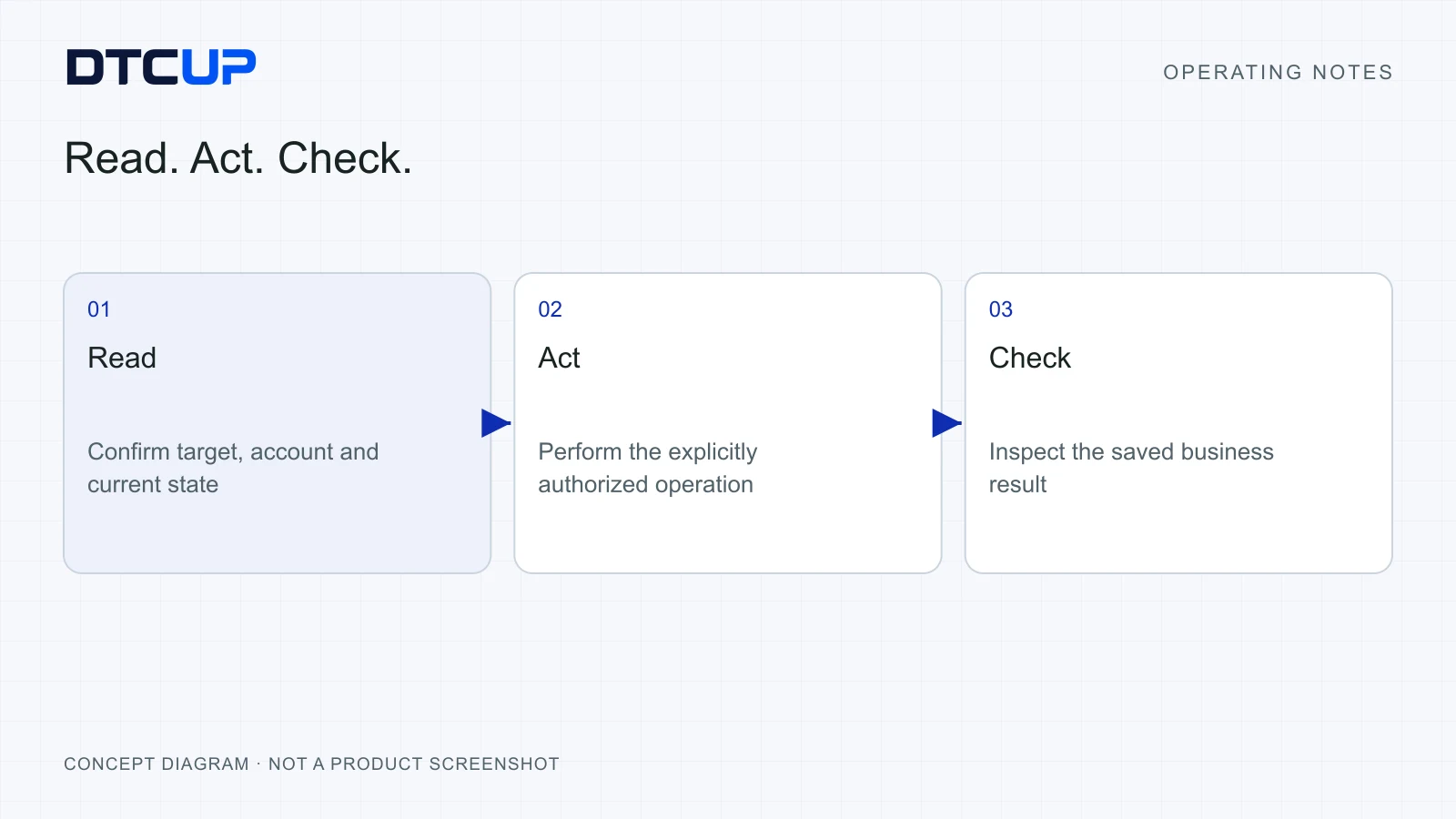
The most useful operating rhythm is simple: read the current state, perform the authorized action, then inspect the result. Each part deserves its own evidence. Reading establishes where you are. Acting records what you attempted. Checking establishes what the website now says happened.
Consider exporting a report. First, read the selected account, date range and active filters. Next, request the export. Finally, inspect the downloaded file: does it open, contain the expected columns and correspond to the selected period? A browser notification that says “export started” establishes progress. The file itself establishes the deliverable.
The same rhythm applies to a saved record. Read the existing value and identity. Enter the new value and save. Reopen or refresh the record and read the field again. Where the platform offers an activity log or status message, use it as supporting evidence. The exact check depends on the system; the idea is to examine the business result rather than admire the button animation.
Checking can reveal a result that needs interpretation. A platform may save a draft while leaving the published page unchanged. It may accept a request into a queue. It may create a record but reject one field. These are different outcomes. Report them plainly: draft saved, request queued, or record created with a field error.
This is especially valuable for teams working across timezones. The person reviewing the work may arrive hours later. They should be able to see what was attempted, which object was affected and what evidence confirmed the result. “Done” is a very short handoff. Sometimes it is also an invitation to become a detective.
Ask for the appropriate amount of evidence. A low-risk field check may need a readback and a page link. A change affecting customers may need the old value, the new value, a confirmation and a follow-up check. Capturing everything forever is not the goal. Preserve enough to make the outcome understandable within your business’s retention rules.
When the evidence remains incomplete, label the outcome as uncertain. This is useful information. It tells the next person to investigate before trying again. A false success message feels reassuring for a moment and creates work later. A precise uncertainty message gives the team a sensible next move immediately.
Keep normal navigation from becoming manual work
Modern business websites change constantly while you use them. Filters add parameters to the address, lists refresh in place and records open inside panels. A capable browser workflow needs to notice those changes, read the new state and continue ordinary authorized work when the target remains clear.
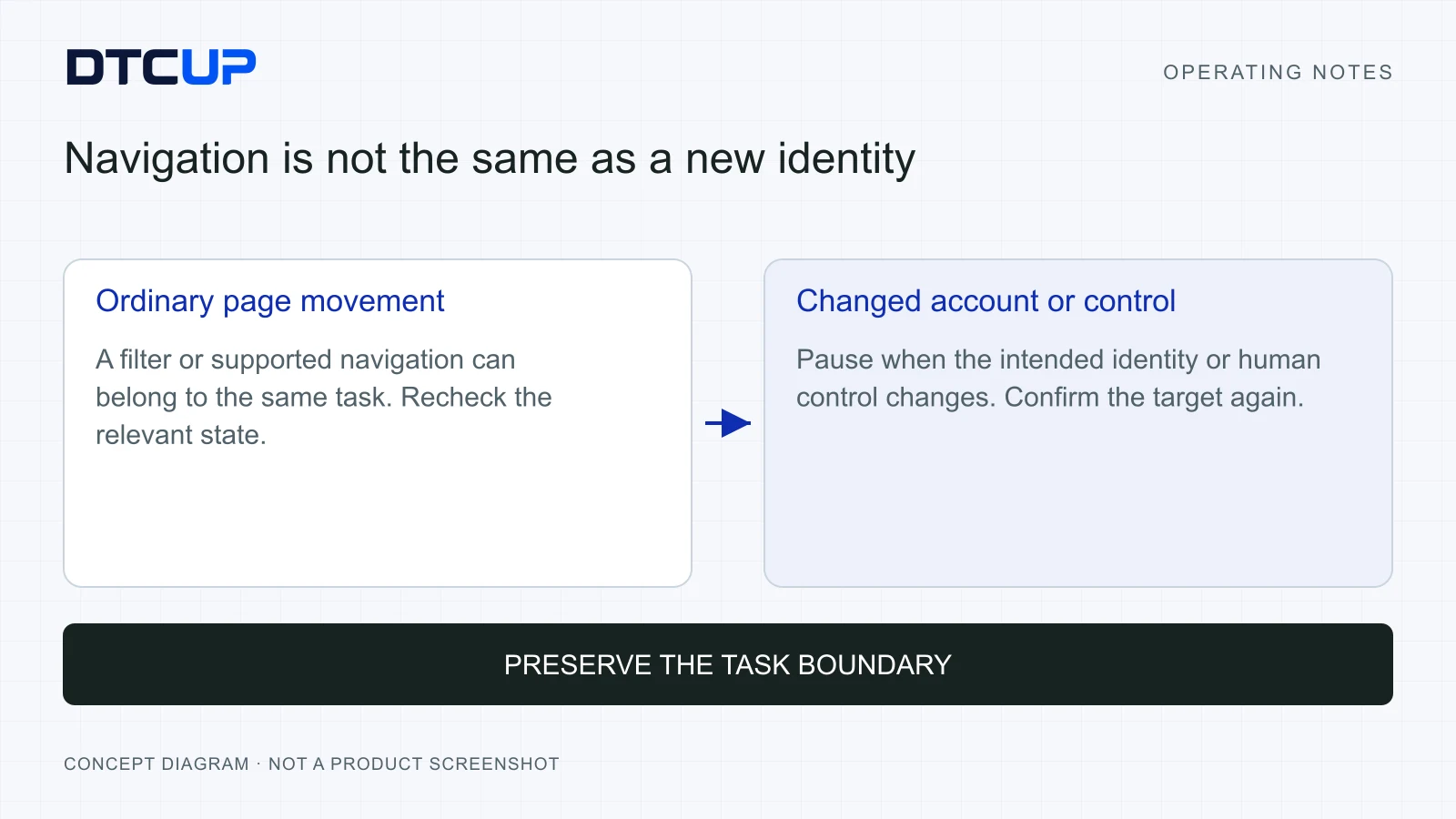
You should not have to rescue an assistant every time a list changes from “All contacts” to “Recently viewed.” At the same time, the assistant should not carry an old page reference into a genuinely different account. The useful distinction is whether the target and permission still hold after the change.
Think of a page reference as directions to a shelf in a moving library. If the librarian changes the display, your old directions may point to the wrong book. The assistant needs a fresh look. It can then continue toward the same requested title, rather than treating yesterday’s shelf number as sacred.
This is why instructions should refer to recognizable objects and outcomes. A campaign name, record identifier or verified company name survives many ordinary interface changes. A temporary row position does not. After navigation, the assistant should reacquire the current page information and confirm the target before acting.
Some changes deserve a pause. An account switch, a closed target tab, a new permission request or a person’s explicit decision to take over can invalidate the previous working context. The assistant should explain what changed. “The original tab is closed” is actionable. “Something went wrong; click around until it works” is a customer-support puzzle wearing a progress badge.
When you tell the assistant to continue after a pause, it should inspect the current state and determine a safe next action. Continuing is not permission to replay every previous click. The earlier operation may already have completed, or the current page may represent a different object. Recovery should preserve the original business goal while checking these facts again.
DTCUP Browser’s task and progress approach is useful here: ordinary reads, navigation and result checks stay inside the relevant task. The operator can follow meaningful progress instead of managing a new task for every technical step. Use that visibility to ask a better question: what remains unresolved about the business result?
Handle uncertain submissions without creating duplicates
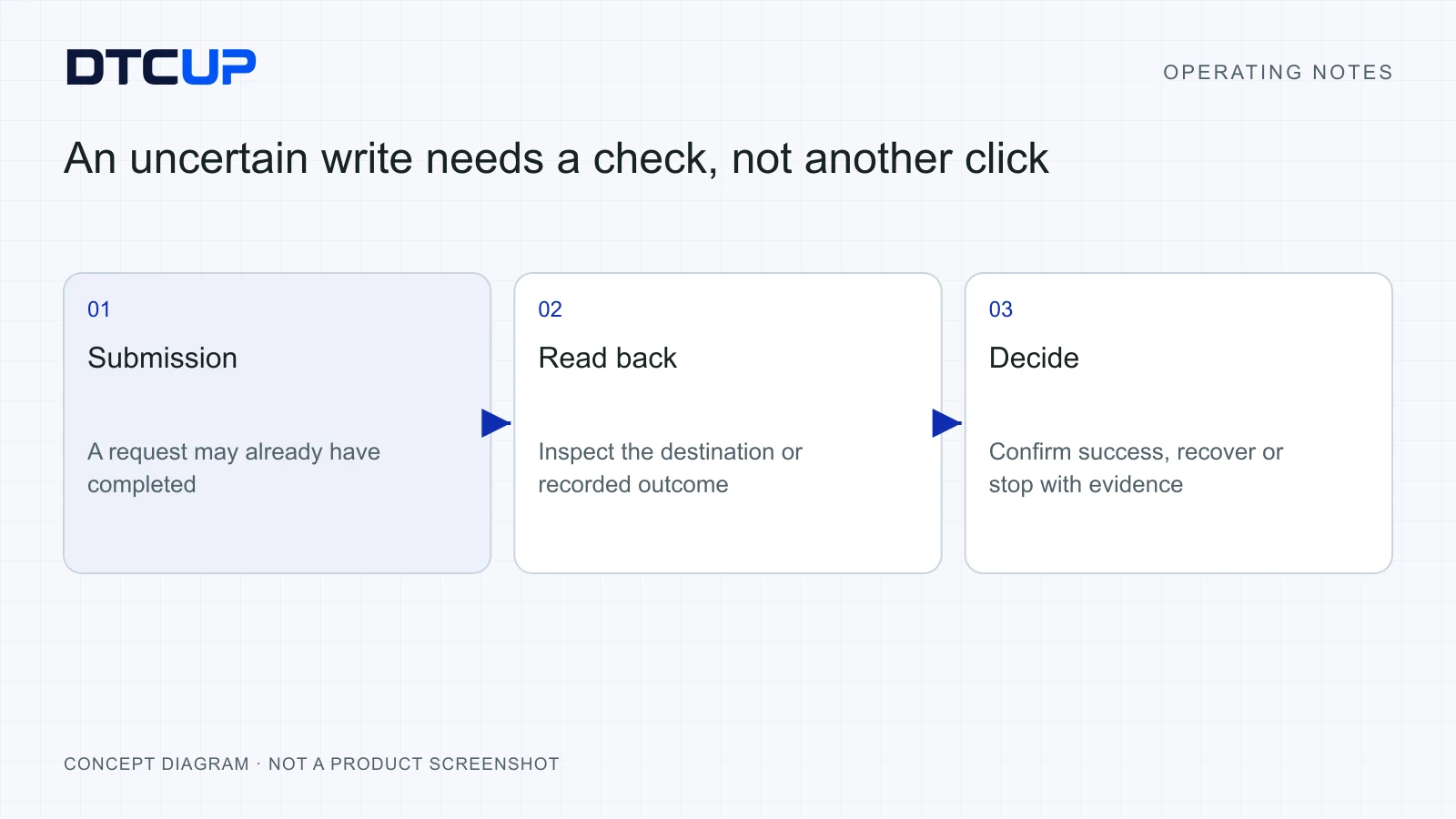
The most important moment in a browser task may be the moment after a request appears to fail. A connection drops, a page stops responding or a confirmation never arrives. The tempting response is to press the button again. That can be harmless for a search. It can create a duplicate order, message or record when the first request actually reached the server.
Separate three situations. In the first, the website clearly rejected the request before completing it. In the second, the website clearly confirmed success. In the third, the request may have completed but the evidence is missing. The third situation needs investigation. Treating all three as “try again” is how an assistant accidentally becomes a subscription service for duplicate work.
Start by reading the destination state. Search for the intended record, examine the relevant activity history or check the export list. Use the identifying details from the original task. If a new company was being created, search the exact company name and relevant domain. If a message was being sent, inspect the appropriate sent or activity view rather than opening a new blank message.
Do not infer failure from an empty form. Some websites clear a form after submitting. Others preserve it after success. Neither behavior proves the final result on its own. Similarly, a timeout describes the communication problem; it does not necessarily describe the business transaction.
Where the system provides a request reference, keep it with the task. That reference can help connect a later result to the original attempt. A fresh reference may represent a fresh operation, so creating another request immediately can defeat the very protection you wanted. DTCUP Browser keeps action attempts and confirmed outcomes distinct; use that distinction during recovery.
The next action should follow the evidence. If the record exists with the correct values, report the confirmed result. If it clearly does not exist and the system permits a safe retry, retry within the original authorization. If you cannot establish either state, explain the uncertainty and stop before duplicating a potentially consequential action.
This does not mean every technical hiccup needs a meeting. Most reading failures can be retried without changing business data. A missed page load is different from an unclear payment or a possibly sent email. Match the recovery process to the type of operation, rather than using one giant red stop sign for every inconvenience.
I would review uncertain outcomes as a process metric. How often did they occur? How quickly could the team resolve them? Were any duplicate actions attempted? Those questions show whether automation is improving operations. A dashboard that counts clicks but ignores uncertain outcomes is rather like measuring a delivery service by how often the driver starts the engine.
Make progress readable to the next person
A browser task should leave a short, understandable record. The person reading it needs to know the requested outcome, the target context, the important steps, the present status and the evidence. They usually do not need a dramatic retelling of every loading spinner.
Use words that map to business states. “Prepared” means the change is ready for review. “Submitted” means a request was sent. “Confirmed” means evidence established the result. “Uncertain” means that evidence is incomplete. These labels become valuable when a task crosses from marketing to operations, or from one timezone to another.
For a report-reading task, a useful completion note might say: the correct account and date range were checked; the export contains the requested fields; three discrepancies were found; no settings were changed. It can link to the file and the relevant pages. The reader can then decide what to do with the findings.
For a saved change, include the object and the before-and-after values. If the final website has a separate published state, say whether publication was part of the job. A prepared page, a saved draft and a public page are all useful deliverables. They should not share an indistinct “all done” label.
Keep the level of detail proportional. A low-risk lookup should not generate a novel. A multi-step workflow involving several systems needs more context because another person may need to continue it. The ideal record is the shortest one that preserves the important meaning.
Teams can use DTCUP CRM to keep the resulting customer follow-up, ownership and approved knowledge near the relevant record. That handoff still needs explicit business design. A browser task finishing does not automatically mean every system has synchronized. Decide what information belongs in the customer record and verify its arrival when you create it.
Measure the quality of the handoff by whether someone else can continue without asking the original operator to reconstruct the work. If the next person needs screenshots, a date range and a decision owner, include those. If they only need a checked field and its source, keep it lean. The task record should behave like a well-packed bag: everything needed, very little that makes carrying it harder.
Protect data with a purpose-first approach
A local browser connection changes where the browser control runs. It does not make every piece of information automatically private from the AI client. Requested page content can enter your Codex conversation and be processed by its provider. Read the DTCUP Browser privacy information and your chosen client’s data controls before using sensitive pages.
The practical starting point is data minimization: ask for the smallest amount of information needed to answer the business question. If you need a count of overdue cases, you may not need every customer’s full message history. If you are checking whether a company field exists, you may not need to export the entire customer database.
Keep credentials out of ordinary task instructions. Use the website’s normal sign-in process and the intended account. Do not paste passwords, recovery codes or private keys into a prompt just because the assistant is already looking at a browser. A connection problem should be solved at the connection, rather than by scattering secrets through the conversation.
Set website access and retention in line with the business purpose. A person who needs to inspect a public product page may not need permission to operate an advertising account. A temporary investigation may not require long-term storage of page contents. Make those decisions before the first sensitive task, then revisit them as the workflow changes.
Remember that a shared screen can contain unrelated information. Other tabs, customer names and open panels may reveal more than the current job requires. Select the relevant page and close or avoid unrelated panels where practical. This is ordinary workspace hygiene, much like clearing documents off a desk before a visitor sits down.
Give people a clear way to pause or stop. Human control is valuable when the task changes, a new risk appears or the operator wants to take over. After a takeover, have the assistant read the current page before continuing. The person may have changed the selection or completed part of the work.
Finally, make privacy part of task selection. Start with public or low-sensitivity information while the team learns the workflow. Expand into customer or commercial data only after you understand the access boundary, evidence requirements and retention choices. Faster work is useful; faster uncertainty about where your data went is less of an upgrade.
Run a small pilot with a real acceptance check
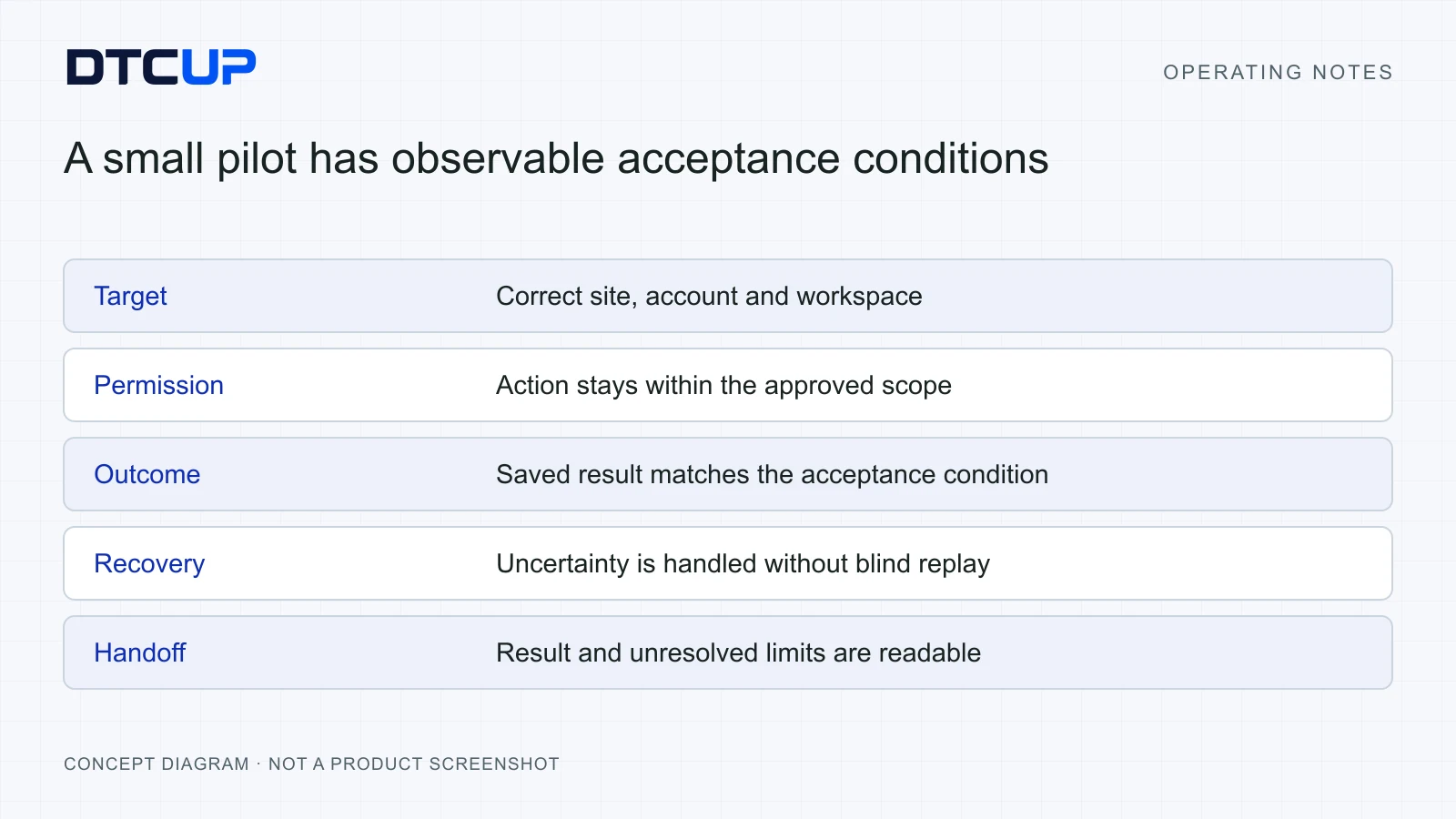
I would begin with one repeatable workflow and a named owner. Choose something that produces a concrete artifact, such as a weekly campaign comparison, a catalog quality list or a set of customer records requiring review. Keep the scope narrow enough that the owner understands the whole process.
Perform the task manually once and record the normal steps. This establishes the account selection, definitions, expected fields and completion check. You are not trying to preserve every mouse movement. You are identifying the parts that carry business meaning and the places where mistakes would matter.
Next, write a short task brief using the same definitions. Specify the website, account, period, allowed actions and expected output. Include one sample result if necessary. Let the assistant complete the low-risk version while you observe where instructions were missing or the interface behaved differently from expectation.
Review the result before expanding the scope. Did the assistant use the correct account? Did it keep the date range consistent? Did the exported file contain all requested rows? Did it distinguish missing data from zero? Did the final note state what remained uncertain? These checks are more informative than whether the task looked fast on screen.
Repeat the workflow under a few ordinary variations. Try an empty result, a changed sort order, a list requiring another page and a session that needs a fresh read. A pilot that only succeeds on the most convenient page tells you little about tomorrow’s work. The objective is a workflow the team can operate when the website behaves like an actual website.
Track total operator time, including review and recovery. Suppose a manual report takes twenty minutes. The assistant prepares it in six, but the owner spends another twelve checking unclear definitions. The two-minute saving is real, yet the next improvement should probably be a clearer brief. If review drops to four minutes without losing accuracy, the benefit becomes much more meaningful.
Keep a simple quality score alongside time. Record whether the target was correct, the output complete, the evidence sufficient and the handoff usable. Review mistakes by cause: missing instruction, stale page information, ambiguous platform behavior or an actual tool failure. Each cause suggests a different repair. Blaming “AI” for everything is emotionally convenient and operationally unhelpful.
Only then add a bounded writing task. Preparing a draft change is a sensible next step. Saving an approved, reversible field can follow when the acceptance check is reliable. Customer messages, publishing, deletion and spending deserve explicit scope and a stronger result check. This progression lets the team earn confidence rather than assume it.
The broader sequence is covered in the six-app international growth workflow. Browser execution becomes more useful when the question, the commercial evidence and the customer handoff are already clear.
Before building a larger browser workflow, compare it with the simplest available route. A clean export may answer a recurring reporting question more reliably than reading hundreds of screen rows. An authorized data connection may be better for regular aggregation. A browser is particularly useful when the work depends on the visible interface, an existing session or a reviewable action that the team already performs there. Choose the route that makes the result easiest to establish.
For example, a monthly review of ten thousand orders usually benefits from a bounded export or a suitable data source. A task checking whether three account settings match an approved configuration may fit the browser very well. These jobs have different shapes. Making a browser scroll through an enormous table because it can is rather like using a teaspoon to move a warehouse: the commitment is admirable, but the equipment deserves a second look.
Also distinguish a stable rule from a judgment call. If every row with a missing field should be flagged, define the field and the exception. If the decision depends on whether a message sounds appropriate for a customer, supply approved examples and keep a review step. The assistant can prepare the work, but a vague judgment rule will remain vague even when it runs quickly.
Use a small stop list that reflects your business. Unexpected account identity, an unclear submission result, a changed target record and a new request for sensitive access are sensible reasons to pause. A routine page refresh or an ordinary list filter should generally trigger a fresh read. This lets the team reserve attention for meaningful exceptions, instead of training people to approve every interruption without reading it.
Review the pilot’s economics using a complete cycle. Add briefing time, execution time, review time and recovery time. Compare that total with the manual process at the same quality standard. A workflow that saves preparation time but makes the reviewer nervous may still be useful as a draft assistant. It may simply need a narrower scope before it becomes a reliable operational routine.
Finally, document one repeatable task brief and one acceptance example. Give the next operator enough context to run the same workflow in the correct account, without borrowing a previous person’s temporary page references. Good reuse preserves the business intention and the verification method. It does not freeze a set of screen coordinates and hope the website promises to sit very still forever.
A worked example: from report to an owned follow-up
Consider an illustrative business, not a DTCUP customer case. A small home-goods team runs two regional storefronts. Every Monday, its operator checks which product pages are receiving traffic but generating repeated delivery questions. The work currently involves a marketing report, a support view and several product pages.
The operator gives the assistant a bounded task: use the selected regional account, read the last complete week, identify the five product pages with the most delivery-related questions and prepare a list of the relevant page links and missing information. No pages should be edited and no customer messages should be sent.
The assistant first confirms the account and date range. It reads the support view’s filters and checks whether the classification actually represents delivery questions. If the system cannot reliably identify that category, it reports the limitation instead of manufacturing a neat ranking. The owner can supply an approved list or choose a smaller sample.
For each selected page, the assistant reads the relevant delivery information. It notes the visible promise, its location and any obvious mismatch with the approved policy supplied by the operator. The output separates a missing statement from an unsupported statement. Those problems require different actions: one needs clearer communication, the other may require correcting a promise.
The operator reviews the list and chooses two pages to improve. That creates a new, explicit task: prepare revised delivery sections using the approved policy, preserve the existing product facts and URLs, and show the proposed text before saving. The assistant now has permission to draft, while publication remains a separate decision.
After the operator approves the text, the assistant saves the authorized changes and reads them back. If the site uses drafts and publication separately, it reports that distinction. If one save becomes uncertain, it inspects the destination page before trying again. The final handoff lists the pages, the approved changes, the observed result and anything still awaiting publication.
The support owner then updates the relevant knowledge in the shared CRM workflow. The marketing owner reviews whether delivery questions decline over a suitable period. That later business result cannot be guaranteed by the browser task. It is the next question to test.
The value of the workflow is the chain of responsibility. An observed customer problem becomes a page review, then an approved change, then a checked result and a customer-facing knowledge update. The browser connection removes repetitive handling from that chain while keeping the important decisions visible.
Practical questions before you start
Does DTCUP Browser replace my browser or require a fresh session?
Its purpose is to connect AI work to the Chrome pages you already use. You select the relevant page and account rather than reconstructing the entire workspace for every task. The connection still needs its required extension, local companion and compatible AI client. Check the current installation instructions on the product website, because a downloaded companion alone does not establish a working connection.
Can I ask it to do everything in an account?
Give it a defined business job and an explicit permission boundary. Start with reading and preparation, then expand into authorized changes whose outcomes you can verify. Account access and task authorization are separate. Broad access does not explain which customers, campaigns or records you intend to affect.
What should happen when the website refreshes or changes a filter?
The assistant should read the current page and continue ordinary authorized work when the target remains clear. A different account, a closed target or a human takeover can require a new scope check. The useful question is whether the same business object and permission still apply, rather than whether the address changed by one character.
Why might an uncertain action remain unresolved?
A request can reach the website even when its confirmation is lost. Preserving uncertainty prevents an immediate duplicate attempt. Check the destination record, export history or activity evidence. If the outcome still cannot be established, an honest unresolved status gives the owner a safer decision than a guessed success or failure.
Is all information kept only on my computer?
The browser connection runs locally, but requested page content can enter the AI conversation and be handled by its provider. Review the product’s privacy information and your AI client’s controls. Limit the requested data to the task’s purpose, keep credentials out of prompts and choose access and retention deliberately.
What is the best first task for a small team?
Choose one recurring, low-risk reading task with a clear output and a quick acceptance check. A report comparison or a missing-information list is usually easier to evaluate than a broad operational overhaul. Measure the time spent checking and recovering as well as the time saved preparing. Reliable, understandable results are what make the assistant useful next week too.
Still have a question?Ask the DTCUP Community ↗